More browsing paths
Play Shadowgate (Europe edition · English) Online
Shadowgate
Play Shadowgate online. Explore the NES castle, manage torches and combine commands, objects and spells to survive its traps. Learn the basic controls and opening steps.
Browser play
Nintendo Entertainment System (NES) / Famicom — EmulatorJS controls
Default Player 1 keyboard mapping. Change keys in Controller Settings.
| Console button | Keyboard |
|---|---|
| ↑ / ↓ / ← / → | ↑ / ↓ / ← / → |
| A / B | Z / X |
| START / SELECT | Enter / V |
Open Controller Settings to configure your keyboard or gamepad. Touch controls are available on mobile.
How to Play Shadowgate
Quick start
Choose an unused file with the Control Pad and confirm with A. At the castle entrance, practice selecting LOOK and then the part of the scene you want to examine. Try OPEN and TAKE on promising objects before using MOVE to enter an open doorway. Inside, collect spare torches and keep one lit. To use an item, select USE, choose it from the inventory cards and then select its target. Save from the on-screen command panel before attempting something risky.
Controls
Control Pad: move the pointer and select files, commands, objects or exits. A: confirm a selection, carry out the selected command or advance a message. Most actions require two selections: choose the command, then its target. USE may require a third selection for the object you want to act on. MOVE takes you through a selected open exit; SAVE is an on-screen command, not a pause-button shortcut.
Shadowgate — About this game
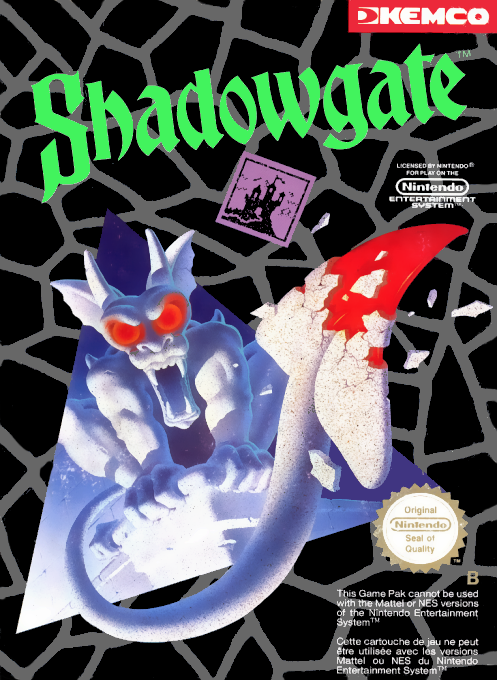
In Shadowgate, you are the last heir of a royal line, sent into a castle where the Warlock Lord plans to unleash the Behemoth. Exploration happens through a pointer and a set of on-screen commands rather than direct movement or action combat. Examine a room, open its containers and use the objects you collect on a carefully chosen target; a promising exit or apparently harmless item may hide a lethal trap. The inventory is arranged as cards, so finding the right object can be as important as finding the right room. Torches need attention too, since losing your light can end the adventure. Three separate files let you keep different quests, and the Save command preserves your progress. Read the messages closely and save before experimenting instead of treating every obstacle as something to attack. The game text in this edition is English.
Cheats
No cheats have been added for this edition.
Player verification and sources
Browser play was reviewed before this edition was published in the catalogue. The date below is the catalogue publication date, not the game’s original release date.
- Browser test and catalogue publication date
- Browsers and devices
- PC: Chrome, Edge and Firefox. Mobile: Chrome on Android and Safari on iPhone and iPad.
- Player engine and core
- EmulatorJS 4.3.0-pre · nes
- Tested by
- rwEmulator
Sources and editorial basis
rwEmulator reviews edition metadata, release information, game manuals and first-hand browser-play notes. Available manuals are linked below; the editorial policy explains how facts are checked and corrections are handled.