More browsing paths
Play Shanghai II (Japan edition · Japanese) Online
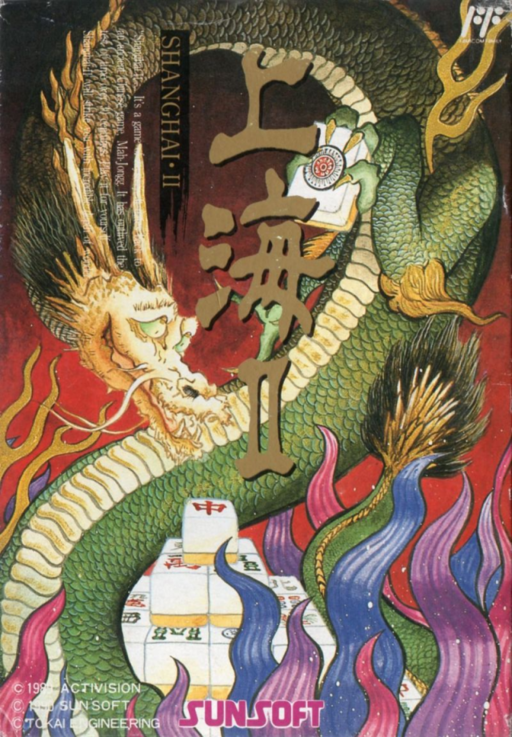
Shanghai II
Play Shanghai II online. Find pairs in six animal-shaped arrays and challenge yourself to solitaire or a race against the clock. Enjoy the challenge mode where two players take turns.
Browser play
Nintendo Entertainment System (NES) / Famicom — EmulatorJS controls
Default Player 1 keyboard mapping. Change keys in Controller Settings.
| Console button | Keyboard |
|---|---|
| ↑ / ↓ / ← / → | ↑ / ↓ / ← / → |
| A / B | Z / X |
| START / SELECT | Enter / V |
Open Controller Settings to configure your keyboard or gamepad. Touch controls are available on mobile.
How to Play Shanghai II
Quick start
Press START on the title, select SOLITAIRE MODE from MODE SELECT and press A. Decide on the layout with STAGE SELECT, select GAME START and press A. Find two cards with the same pattern, with no tiles on top and either left or right empty, and select each with A. When the two pieces turn red, press A again to erase them. Cancellation is B. When in doubt, use FIND from HELP1 at the bottom of the screen to check for candidates.
Controls
D-pad: Arrow cursor/menu movement. A: Select tiles, erase pairs, execute menu or HELP. B: Cancel the selected tile or HELP command. START: Start from the title. Do not use SELECT. Solitaire HELP1 is FIND (displaying candidates) and BACK (returning), HELP2 is PEEK, RETRY, NEW. Once you see the bottom of a tile in PEEK, you cannot continue playing the game. In a two-player match, 2P uses the II controller.
Shanghai II — About this game
"Shanghai II" is a puzzle where you remove 144 stacked tiles with pairs of the same pattern. Select the free tiles that are free on either the left or right without blocking the top, and release the hidden tiles below. There are six basic arrangements: tiger, scorpion, monkey, snake, leopard, and dragon, and the order of breaking them changes depending on the shape. In solitaire, you can choose your placement and play calmly, while in tournaments, you aim to clear the game in succession while keeping in mind the time limit and remaining tiles. The challenge is a match between two people who take turns and try to capture as many tiles as possible in a short amount of time. You can also switch between the Japanese and European tiles, and use hints and rework to study difficult sequences.
Cheats
No cheats have been added for this edition.
Player verification and sources
Browser play was reviewed before this edition was published in the catalogue. The date below is the catalogue publication date, not the game’s original release date.
- Browser test and catalogue publication date
- Browsers and devices
- PC: Chrome, Edge and Firefox. Mobile: Chrome on Android and Safari on iPhone and iPad.
- Player engine and core
- EmulatorJS 4.3.0-pre · nes
- Tested by
- rwEmulator
Sources and editorial basis
rwEmulator reviews edition metadata, release information, game manuals and first-hand browser-play notes. Available manuals are linked below; the editorial policy explains how facts are checked and corrections are handled.