More browsing paths
Play Shanghai (Japan edition · Japanese) Online
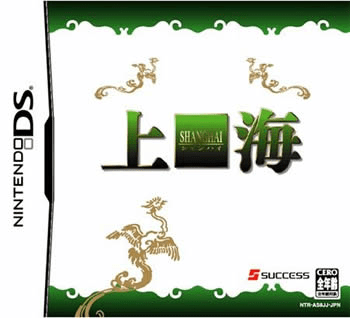
Shanghai
Play Shanghai online. Clear matching tile pairs and learn how each Shanghai mode changes the board. See the Nintendo DS starting guide and controls.
Browser play
Nintendo DS (NDS) — EmulatorJS controls
Default Player 1 keyboard mapping. Change keys in Controller Settings.
| Console button | Keyboard |
|---|---|
| ↑ / ↓ / ← / → | ↑ / ↓ / ← / → |
| A / B / X / Y | Z / X / A / S |
| L / R | Q / E |
| START / SELECT | Enter / V |
| Microphone | Not assigned |
Open Controller Settings to configure your keyboard or gamepad. Touch controls are available on mobile.
How to Play Shanghai
Quick start
Choose Free Game, find an uncovered pair with an open side and remove it. Inspect newly freed tiles and plan another pair before moving to a timed variant.
Controls
Tap each tile with the stylus to select a pair. Use the current mode's help and confirmation options; Nikakudori and Great Wall have different eligibility or movement rules.
Shanghai — About this game
Select two matching free tiles, but first check that no tile covers them and that at least one side is open. The order matters: an easy pair can leave the remaining stack blocked. Start in Free Game to think without a timer, then try Normal's stage goals or Time Attack. Score Attack adds tiles over time, Great Wall changes the stack as tiles fall, and Nikakudori uses a connecting-path rule. Read the chosen mode before applying the ordinary stack rule. The original DS also offers two-player Download Play with disruptive skills.
Shanghai Game manuals
Cheats
No cheats have been added for this edition.
Player verification and sources
Browser play was reviewed before this edition was published in the catalogue. The date below is the catalogue publication date, not the game’s original release date.
- Browser test and catalogue publication date
- Browsers and devices
- PC: Chrome, Edge and Firefox. Mobile: Chrome on Android and Safari on iPhone and iPad.
- Player engine and core
- EmulatorJS 4.3.0-pre · nds
- Tested by
- rwEmulator
Sources and editorial basis
rwEmulator reviews edition metadata, release information, game manuals and first-hand browser-play notes. Available manuals are linked below; the editorial policy explains how facts are checked and corrections are handled.