More browsing paths
Play Shepherd's Crossing 2 DS (US edition · English) Online
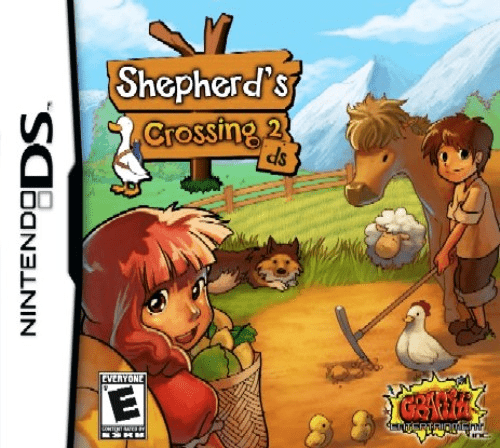
Shepherd's Crossing 2 DS
Play Shepherd's Crossing 2 DS online. Keep a farm supplied while growing crops, raising animals and meeting neighbours. See the Nintendo DS starting guide and controls.
Browser play
Nintendo DS (NDS) — EmulatorJS controls
Default Player 1 keyboard mapping. Change keys in Controller Settings.
| Console button | Keyboard |
|---|---|
| ↑ / ↓ / ← / → | ↑ / ↓ / ← / → |
| A / B / X / Y | Z / X / A / S |
| L / R | Q / E |
| START / SELECT | Enter / V |
| Microphone | Not assigned |
Open Controller Settings to configure your keyboard or gamepad. Touch controls are available on mobile.
How to Play Shepherd's Crossing 2 DS
Quick start
Create a farmer, inspect the first field and supply counters, then plant for the current season. Prepare feed, check food and firewood and visit the village before advancing days.
Controls
D-pad moves; A picks up, B puts down, Y uses tools or work surfaces and X changes tools. L advances time, START opens menus and SELECT browses recipes. Check supplies before using time advance.
Shepherd's Crossing 2 DS — About this game
Accept a new parcel of land and build a working farm around seasonal crops, livestock and household supplies. Main dishes, side dishes and firewood must remain stocked; tools and production advance time, while walking and visiting let you plan without the same cost. Begin by checking the field's fertility, planting a suitable seed and arranging feed before adding more animals. Carry materials to the workbench or cooking counter to process them, and sell produce at the village store. Neighbour visits can open events and recipes, linking practical survival to community life.
Shepherd's Crossing 2 DS Game manuals
Cheats
No cheats have been added for this edition.
Player verification and sources
Browser play was reviewed before this edition was published in the catalogue. The date below is the catalogue publication date, not the game’s original release date.
- Browser test and catalogue publication date
- Browsers and devices
- PC: Chrome, Edge and Firefox. Mobile: Chrome on Android and Safari on iPhone and iPad.
- Player engine and core
- EmulatorJS 4.3.0-pre · nds
- Tested by
- rwEmulator
Sources and editorial basis
rwEmulator reviews edition metadata, release information, game manuals and first-hand browser-play notes. Available manuals are linked below; the editorial policy explains how facts are checked and corrections are handled.