More browsing paths
Play Shooting Range (US edition · English) Online
Shooting Range
Play Shooting Range online and explore themed target galleries, a bonus stage and Party score contests. Learn the original NES Zapper and menu controls.
Browser play
Nintendo Entertainment System (NES) / Famicom — EmulatorJS controls
Default Player 1 keyboard mapping. Change keys in Controller Settings.
| Console button | Keyboard |
|---|---|
| ↑ / ↓ / ← / → | ↑ / ↓ / ← / → |
| A / B | Z / X |
| START / SELECT | Enter / V |
Open Controller Settings to configure your keyboard or gamepad. Touch controls are available on mobile.
How to Play Shooting Range
Quick start
The original setup uses a controller in port 1 and a Zapper in port 2. Press START, then use Up/Down and A to choose 1–4 players, Normal or Party mode, and a level. On the stage-selection screen, aim the Zapper at the illuminated portion of a stage picture and fire to begin. In Normal mode, shoot pinwheels accurately and use Left/Right to scroll the scene; repeated misses waste energy.
Controls
Original NES controls: Zapper aim and trigger select a highlighted stage and shoot targets. Controller Left/Right scroll the Normal-mode gallery; Up/Down move menu choices and select initials. A confirms setup options and advances score/stage screens. START starts, pauses and resumes play. A/B and SELECT are not firing controls during a stage; the D-pad is unused in the bonus stage and Party mode. After a Normal-mode game over, press A, choose Yes with the D-pad, then press A to continue.
Shooting Range — About this game
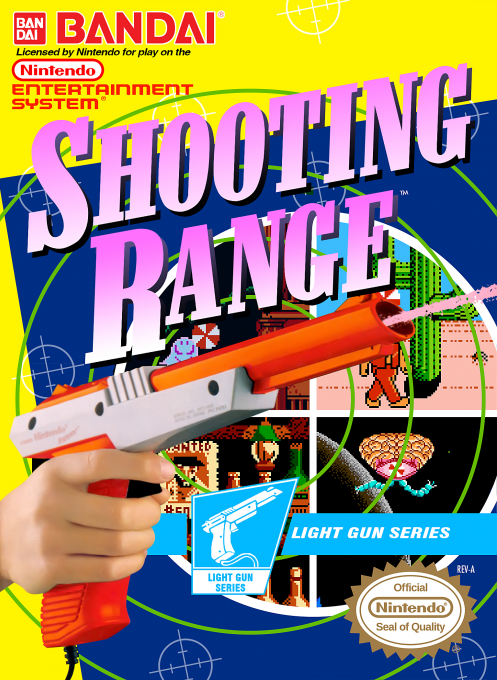
Shooting Range combines timed target practice with a quick-draw competition. Normal mode sends you through Western scenery, a monster town and outer space, with a separate bonus stage. Shoot the pinwheels attached to moving characters while watching both time and energy: careless misses drain your reserves. Scrolling the gallery can reveal more targets, and selected items restore energy, extend the clock or award extra points. Party mode changes the focus to a score contest, with each participant taking a turn at horizontally moving targets.
Cheats
No cheats have been added for this edition.
Player verification and sources
Browser play was reviewed before this edition was published in the catalogue. The date below is the catalogue publication date, not the game’s original release date.
- Browser test and catalogue publication date
- Browsers and devices
- PC: Chrome, Edge and Firefox. Mobile: Chrome on Android and Safari on iPhone and iPad.
- Player engine and core
- EmulatorJS 4.3.0-pre · nes
- Tested by
- rwEmulator
Sources and editorial basis
rwEmulator reviews edition metadata, release information, game manuals and first-hand browser-play notes. Available manuals are linked below; the editorial policy explains how facts are checked and corrections are handled.