More browsing paths
Play Shrek Smash n' Crash Racing (US edition) Online
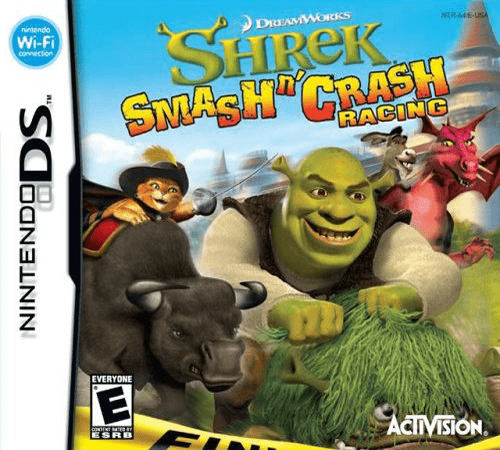
Shrek - Smash n' Crash Racing
Play Shrek Smash n' Crash Racing online. Race on fairy-tale mounts, jump obstacles and use collected power-ups. See the Nintendo DS starting guide and controls.
Browser play
Nintendo DS (NDS) — EmulatorJS controls
Default Player 1 keyboard mapping. Change keys in Controller Settings.
| Console button | Keyboard |
|---|---|
| ↑ / ↓ / ← / → | ↑ / ↓ / ← / → |
| A / B / X / Y | Z / X / A / S |
| L / R | Q / E |
| START / SELECT | Enter / V |
| Microphone | Not assigned |
Open Controller Settings to configure your keyboard or gamepad. Touch controls are available on mobile.
How to Play Shrek Smash n' Crash Racing
Quick start
Pick a character and Quick Race. Learn a lap, practise braking before corners and try one collected power-up on a clear stretch.
Controls
D-pad steers, A accelerates, B brakes/reverses, R jumps, L uses a power-up and Y looks behind. START opens the pause menu.
Shrek Smash n' Crash Racing — About this game
Choose a Shrek character and mount, then learn a course in Quick Race or Time Trial before a cup. Steering, braking and short jumps help preserve a clean route, while power-ups add attacks that can interrupt nearby rivals. Start by finishing a lap without falling and learn one troublesome bend before trying to fight throughout the race. Tournament and Cup Challenge provide longer goals, while Battle changes the focus from lap placement to combat. Keep an eye on the road even when a useful item is ready.
Shrek Smash n' Crash Racing Game manuals
Cheats
No cheats have been added for this edition.
Player verification and sources
Browser play was reviewed before this edition was published in the catalogue. The date below is the catalogue publication date, not the game’s original release date.
- Browser test and catalogue publication date
- Browsers and devices
- PC: Chrome, Edge and Firefox. Mobile: Chrome on Android and Safari on iPhone and iPad.
- Player engine and core
- EmulatorJS 4.3.0-pre · nds
- Tested by
- rwEmulator
Sources and editorial basis
rwEmulator reviews edition metadata, release information, game manuals and first-hand browser-play notes. Available manuals are linked below; the editorial policy explains how facts are checked and corrections are handled.