More browsing paths
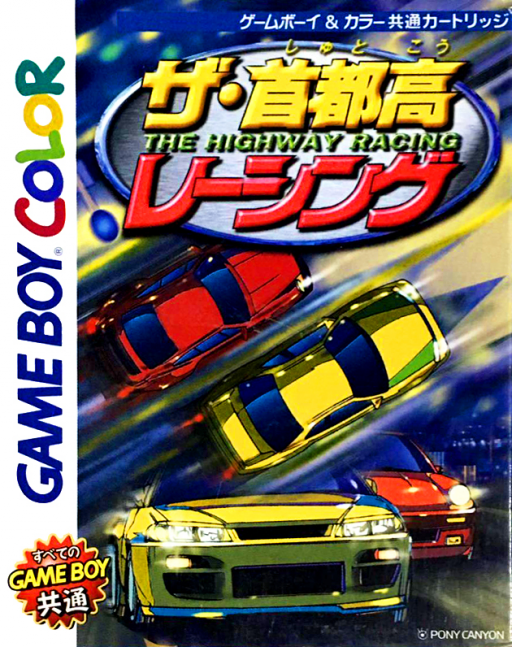
Play The Shutokou Racing (SGB Enhanced / GB Compatible · Japan edition · Japanese) Online
Shutokou Racing, The
Play The Shutokou Racing online on GBC. Race the expressway, modify the car and test your braking nerve.
Browser play
Game Boy Color (GBC) — EmulatorJS controls
Default Player 1 keyboard mapping. Change keys in Controller Settings.
| Console button | Keyboard |
|---|---|
| ↑ / ↓ / ← / → | ↑ / ↓ / ← / → |
| A / B | Z / X |
| START / SELECT | Enter / V |
Open Controller Settings to configure your keyboard or gamepad. Touch controls are available on mobile.
How to Play The Shutokou Racing
Quick start
Choose Highway mode and prepare the available car. A accelerates, B brakes and Left/Right steers. Use the opening run to learn the bends before spending on changes. In Chicken mode, judge the approach and brake before the wall rather than holding full speed to the end.
Controls
Left/Right steers, A accelerates and B brakes. START pauses. Use the directional pad to select modes and car changes, A to confirm and B to return.
The Shutokou Racing — About this game
Highway mode connects racing with modifying the car, giving upgrades a place in your progress. Chicken mode changes the task to judging how close you dare drive toward a wall before stopping. Learn braking distance before pushing either challenge: the extra speed gained on an approach is wasted if it ends in a collision.
Cheats
No cheats have been added for this edition.
Player verification and sources
Browser play was reviewed before this edition was published in the catalogue. The date below is the catalogue publication date, not the game’s original release date.
- Browser test and catalogue publication date
- Browsers and devices
- PC: Chrome, Edge and Firefox. Mobile: Chrome on Android and Safari on iPhone and iPad.
- Player engine and core
- EmulatorJS 4.3.0-pre · gb
- Tested by
- rwEmulator
Sources and editorial basis
rwEmulator reviews edition metadata, release information, game manuals and first-hand browser-play notes. Available manuals are linked below; the editorial policy explains how facts are checked and corrections are handled.