More browsing paths
Play Side Pocket (Translation · 1.0 · Japan edition · Chinese) Online
Side Pocket (ZH translation)
Play the Chinese translation version of FC Freestyle Pool online, learn the direction, strength and hitting point of the cue ball, and challenge single players and skill balls. Provides introductory instructions for A-key hitting, ball number display and training mode.
Browser play
Nintendo Entertainment System (NES) / Famicom — EmulatorJS controls
Default Player 1 keyboard mapping. Change keys in Controller Settings.
| Console button | Keyboard |
|---|---|
| ↑ / ↓ / ← / → | ↑ / ↓ / ← / → |
| A / B | Z / X |
| START / SELECT | Enter / V |
Open Controller Settings to configure your keyboard or gamepad. Touch controls are available on mobile.
How to Play Side Pocket
Quick start
Use SELECT on the title screen to select training mode, then press START to enter. Use the arrow keys to select LESSON and press A to confirm. Watch the demonstration first, and then practice the center hit line drive. Use the direction keys to adjust the aiming line, press A once to activate the strength bar, and when the strength is appropriate, press A again to release the rod. Press B to view the ball number, hold down B and use the direction keys to adjust the hitting point of the cue ball. When practicing, first keep the same aim and strength, then change the hitting point to compare the movement; after completing the lesson, press SELECT to return to the title.
Controls
Directional keys: adjust the hitting direction and select training items. A: The first press activates the velocity bar, the second press confirms the velocity and hits the ball; used in the training menu for confirmation. B: Switch target ball number display. Press and hold B with the direction keys: change the hitting point of the cue ball and control follow-up, pullback or rotation. SELECT: Title selection game mode; returns title in tutorial session. START: Enter selected mode. FC's A batting method is used here, and the SFC version of B batting is not followed.
Side Pocket — About this game
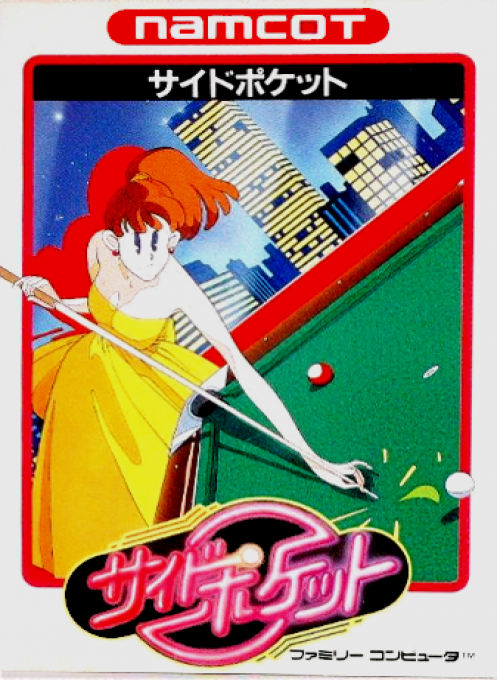
"Fancy Pool" combines aiming, hitting force and cue ball movement. You can't just put the target ball into the pocket to complete a shot. Press A to start the moving strength bar. Press A again to release the shot according to the current strength. Selecting different hitting points can also allow the cue ball to follow up, pull back or produce different rebound routes after collision. Single players need to obtain promotion points in limited attempts and face the skill ball test of the designated layout. Continuous goals and goals in numerical order are helpful for scoring. The training mode will first demonstrate the use of the hitting point, and you can also see the correct treatment if you make a mistake. It is suitable for practicing basic golf skills before challenging the game. In the two-player mode, you can take turns competing for points or nine goals. This entry contains the Chinese translation patch version of asiwish, which modifies the Japanese and training course text in the title screen. It is not a cheating modified version of unlimited strokes or arbitrary ball swings.
Cheats
No cheats have been added for this edition.
Player verification and sources
Browser play was reviewed before this edition was published in the catalogue. The date below is the catalogue publication date, not the game’s original release date.
- Browser test and catalogue publication date
- Browsers and devices
- PC: Chrome, Edge and Firefox. Mobile: Chrome on Android and Safari on iPhone and iPad.
- Player engine and core
- EmulatorJS 4.3.0-pre · nes
- Tested by
- rwEmulator
Sources and editorial basis
rwEmulator reviews edition metadata, release information, game manuals and first-hand browser-play notes. Available manuals are linked below; the editorial policy explains how facts are checked and corrections are handled.