More browsing paths
Play Sideswiped (US edition · English) Online
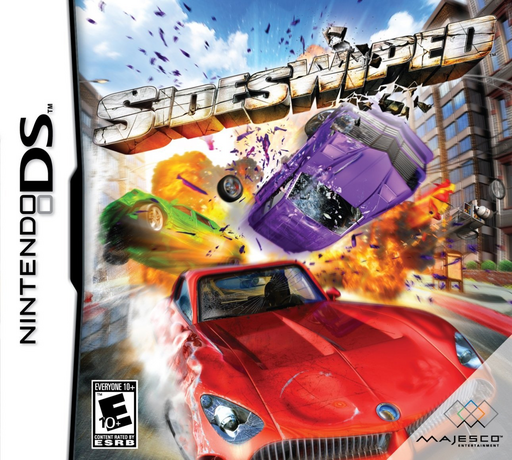
Sideswiped
Play Sideswiped online. Race for position or turn collisions into the event's score. See the Nintendo DS starting guide and controls.
Browser play
Nintendo DS (NDS) — EmulatorJS controls
Default Player 1 keyboard mapping. Change keys in Controller Settings.
| Console button | Keyboard |
|---|---|
| ↑ / ↓ / ← / → | ↑ / ↓ / ← / → |
| A / B / X / Y | Z / X / A / S |
| L / R | Q / E |
| START / SELECT | Enter / V |
| Microphone | Not assigned |
Open Controller Settings to configure your keyboard or gamepad. Touch controls are available on mobile.
How to Play Sideswiped
Quick start
Choose a normal race first and learn the corners. Then read a crash event's scoring rule before changing your driving style.
Controls
D-pad steers, A accelerates, B brakes, Y starts a drift and L boosts. Racing uses buttons; use the menu to select the event and read its objective.
Sideswiped — About this game
Sideswiped separates ordinary racing from Crash Race, Destruction Race, Survival and Time Trial goals. A collision can be valuable in one event and costly in another, so read the objective before accelerating. Begin with a normal course, learn braking and drifting, then try an event that rewards impacts. Boost helps close a gap but also leaves less time to react to traffic. Keep the objective in mind when choosing between a clean line and a risky smash.
Sideswiped Game manuals
Cheats
No cheats have been added for this edition.
Player verification and sources
Browser play was reviewed before this edition was published in the catalogue. The date below is the catalogue publication date, not the game’s original release date.
- Browser test and catalogue publication date
- Browsers and devices
- PC: Chrome, Edge and Firefox. Mobile: Chrome on Android and Safari on iPhone and iPad.
- Player engine and core
- EmulatorJS 4.3.0-pre · nds
- Tested by
- rwEmulator
Sources and editorial basis
rwEmulator reviews edition metadata, release information, game manuals and first-hand browser-play notes. Available manuals are linked below; the editorial policy explains how facts are checked and corrections are handled.