More browsing paths
Play Sigma Star Saga (Europe edition · English) Online
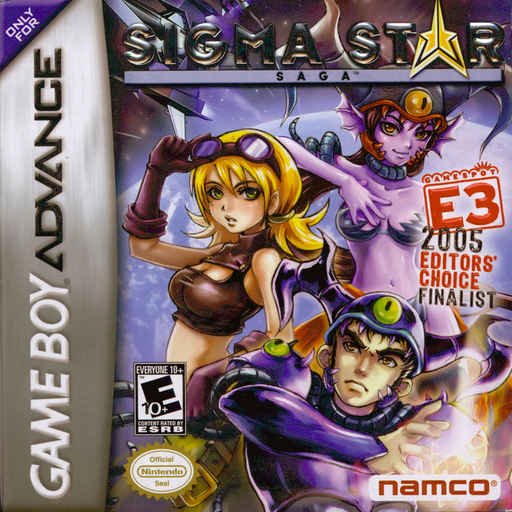
Sigma Star Saga
Play Sigma Star Saga online for GBA, combining top-down planetary exploration and RPG progression with side-scrolling space combat, custom Gun Data weapons and an undercover mission among the Krill.
Browser play
Game Boy Advance (GBA) — EmulatorJS controls
Default Player 1 keyboard mapping. Change keys in Controller Settings.
| Console button | Keyboard |
|---|---|
| ↑ / ↓ / ← / → | ↑ / ↓ / ← / → |
| A / B | Z / X |
| L / R | Q / E |
| START / SELECT | Enter / V |
Open Controller Settings to configure your keyboard or gamepad. Touch controls are available on mobile.
How to Play Sigma Star Saga
Quick start
Select New Game and finish the prologue in a Sigma fighter defending Earth from the Krill. Keep the standard laser firing, avoid fast ships and the large vessel's laser pattern, then bomb the Krill Battle Worm's guns from above. After waking on the Krill Starbase, talk to the medic, enter the skinning room, complete the scripted arena tutorial, report to Commander Tierney in the Comm Room and then to Commander Bloss. Step on each red-and-white data plug to save and restore health.
Controls
In flight, move with the D-pad, hold B for a speed boost, press A to fire, R to swap between custom and default weapons, and L to use a smart bomb that removes minor enemies and hostile shots. On foot, move with the D-pad, hold B to run, use L/R to choose a tool, and press A to talk or interact. START pauses and opens the game menu.
Sigma Star Saga Game manuals
Cheats
No cheats have been added for this edition.
Player verification and sources
Browser play was reviewed before this edition was published in the catalogue. The date below is the catalogue publication date, not the game’s original release date.
- Browser test and catalogue publication date
- Browsers and devices
- PC: Chrome, Edge and Firefox. Mobile: Chrome on Android and Safari on iPhone and iPad.
- Player engine and core
- EmulatorJS 4.3.0-pre · gba
- Tested by
- rwEmulator
Sources and editorial basis
rwEmulator reviews edition metadata, release information, game manuals and first-hand browser-play notes. Available manuals are linked below; the editorial policy explains how facts are checked and corrections are handled.