More browsing paths
Play The Sims 2: Apartment Pets (US edition · English / French / German / Spanish / Italian / Dutch) Online
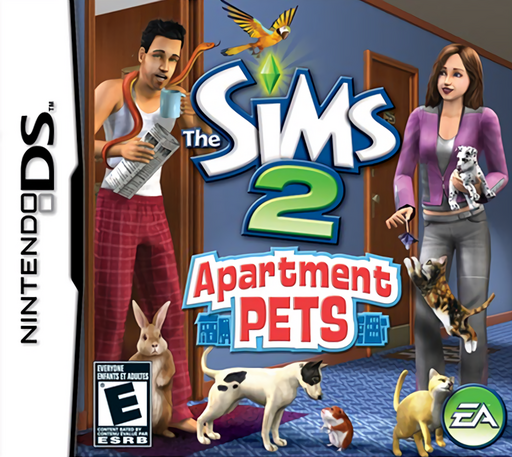
Sims 2, The - Apartment Pets
Play The Sims 2: Apartment Pets online. Look after apartment pets, complete grooming activities and unlock accessories through touch-screen minigames. Learn how to begin and use the Nintendo DS menus.
Browser play
Nintendo DS (NDS) — EmulatorJS controls
Default Player 1 keyboard mapping. Change keys in Controller Settings.
| Console button | Keyboard |
|---|---|
| ↑ / ↓ / ← / → | ↑ / ↓ / ← / → |
| A / B / X / Y | Z / X / A / S |
| L / R | Q / E |
| START / SELECT | Enter / V |
| Microphone | Not assigned |
Open Controller Settings to configure your keyboard or gamepad. Touch controls are available on mobile.
How to Play The Sims 2: Apartment Pets
Quick start
Create your Sim and learn the apartment’s care stations. Check which pet needs attention and begin with its indicated activity. Follow each minigame’s instructions, then use available rewards and return to the next care task.
Controls
Tap an animal or object and choose an available interaction. Follow the stylus gestures shown in grooming and care activities. Use the microphone when the snake-charming activity requests it, and open the menus to manage accessories and the apartment.
The Sims 2: Apartment Pets — About this game
The Sims 2: Apartment Pets centres on an apartment shared with animals and the nearby pet-grooming salon. Care for dogs, cats and smaller pets such as rabbits, hamsters, birds and snakes while making time for your Sim’s daily routine. Short touch-screen activities break up the care work and unlock accessories, including toys and outfits. One of the distinctive activities uses the microphone for snake charming. The routine focuses on the animals, their care and life in the apartment.
The Sims 2: Apartment Pets Game manuals
Cheats
No cheats have been added for this edition.
Player verification and sources
Browser play was reviewed before this edition was published in the catalogue. The date below is the catalogue publication date, not the game’s original release date.
- Browser test and catalogue publication date
- Browsers and devices
- PC: Chrome, Edge and Firefox. Mobile: Chrome on Android and Safari on iPhone and iPad.
- Player engine and core
- EmulatorJS 4.3.0-pre · nds
- Tested by
- rwEmulator
Sources and editorial basis
rwEmulator reviews edition metadata, release information, game manuals and first-hand browser-play notes. Available manuals are linked below; the editorial policy explains how facts are checked and corrections are handled.