More browsing paths
Play The Sims 2: Pets (US edition · English / French / German / Spanish / Italian / Dutch) Online
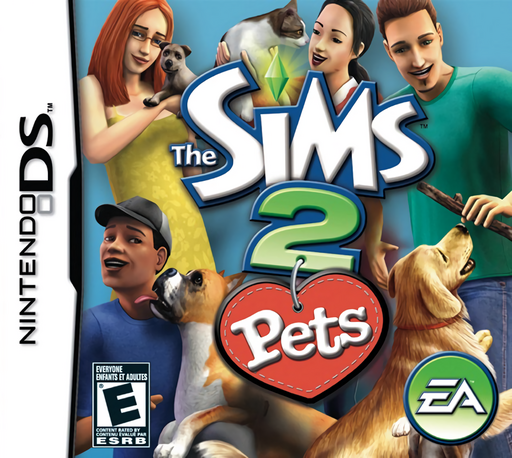
Sims 2, The - Pets
Play The Sims 2: Pets online. Run a small veterinary clinic, care for cats and dogs and build a reputation through successful visits. Learn how to begin and use the Nintendo DS menus.
Browser play
Nintendo DS (NDS) — EmulatorJS controls
Default Player 1 keyboard mapping. Change keys in Controller Settings.
| Console button | Keyboard |
|---|---|
| ↑ / ↓ / ← / → | ↑ / ↓ / ← / → |
| A / B / X / Y | Z / X / A / S |
| L / R | Q / E |
| START / SELECT | Enter / V |
| Microphone | Not assigned |
Open Controller Settings to configure your keyboard or gamepad. Touch controls are available on mobile.
How to Play The Sims 2: Pets
Quick start
Choose your Sim and companion animal, then learn the home’s care and examination stations. Listen to a visiting owner, inspect the animal using the available game tools and follow the indicated care task. Tend to your own needs between visits.
Controls
Tap an object or animal and select an available action to direct the Sim. During examinations and grooming, choose a tool and follow its touch-screen gestures. Use the menus to check needs, purchase equipment and organise the clinic.
The Sims 2: Pets — About this game
The Sims 2: Pets starts with a Sim, a companion pet and a house converted into a veterinary clinic. Other Sims bring cats and dogs for examination, treatment and grooming, paying when they return. Use touch-screen tools to complete the game’s care tasks, then invest the income in a larger home, equipment and furnishings. Your own Sim and pet also need food, rest, hygiene and play, so managing the clinic means balancing patient appointments with everyday care.
The Sims 2: Pets Game manuals
Cheats
No cheats have been added for this edition.
Player verification and sources
Browser play was reviewed before this edition was published in the catalogue. The date below is the catalogue publication date, not the game’s original release date.
- Browser test and catalogue publication date
- Browsers and devices
- PC: Chrome, Edge and Firefox. Mobile: Chrome on Android and Safari on iPhone and iPad.
- Player engine and core
- EmulatorJS 4.3.0-pre · nds
- Tested by
- rwEmulator
Sources and editorial basis
rwEmulator reviews edition metadata, release information, game manuals and first-hand browser-play notes. Available manuals are linked below; the editorial policy explains how facts are checked and corrections are handled.