More browsing paths
Play Smart Kid's Party Fun Pak (US edition · English) Online
Smart Kid's Party Fun Pak
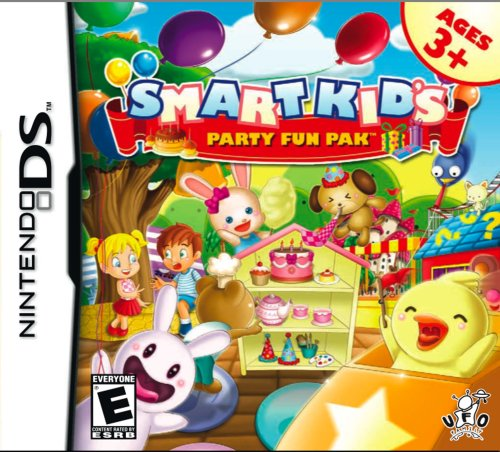
Play Smart Kid's Party Fun Pak online. Explore thirty-six minigames and record two encouragement messages that play after successful activities. Learn how to begin and use the Nintendo DS menus.
Browser play
Nintendo DS (NDS) — EmulatorJS controls
Default Player 1 keyboard mapping. Change keys in Controller Settings.
| Console button | Keyboard |
|---|---|
| ↑ / ↓ / ← / → | ↑ / ↓ / ← / → |
| A / B / X / Y | Z / X / A / S |
| L / R | Q / E |
| START / SELECT | Enter / V |
| Microphone | Not assigned |
Open Controller Settings to configure your keyboard or gamepad. Touch controls are available on mobile.
How to Play Smart Kid's Party Fun Pak
Quick start
Select one activity and watch its introductory prompt. Try the indicated object, check the response and repeat the task before choosing another game.
Controls
Use the stylus or a finger on the indicated touch targets. Follow the current activity’s selection or movement prompt and its confirm or return options. Use supported microphone input in the optional message-recording menu.
Smart Kid's Party Fun Pak — About this game
The collection brings together Smart Boys and Smart Girls features in thirty-six games. A parent can record two spoken messages, which reward successful activities with a familiar voice. Smart Kid's Party Fun Pak gathers casual activities for young players in a creative collection. Choose a game from its menu, inspect the objects on the screen and follow that activity’s own instruction. Touch selection makes it possible to explore with the stylus or a finger, while the mixture of creative and skill-based play gives you reasons to try another activity. Begin with one clear target, observe the response and return to the menu when ready to change. The current screen determines which object to select or move, so learn each game’s example before repeating a familiar gesture.
Smart Kid's Party Fun Pak Game manuals
Cheats
No cheats have been added for this edition.
Player verification and sources
Browser play was reviewed before this edition was published in the catalogue. The date below is the catalogue publication date, not the game’s original release date.
- Browser test and catalogue publication date
- Browsers and devices
- PC: Chrome, Edge and Firefox. Mobile: Chrome on Android and Safari on iPhone and iPad.
- Player engine and core
- EmulatorJS 4.3.0-pre · nds
- Tested by
- rwEmulator
Sources and editorial basis
rwEmulator reviews edition metadata, release information, game manuals and first-hand browser-play notes. Available manuals are linked below; the editorial policy explains how facts are checked and corrections are handled.