More browsing paths
Play Emit Vol. 2 - Inochigake no Tabi (Japan edition · Japanese / English) Online
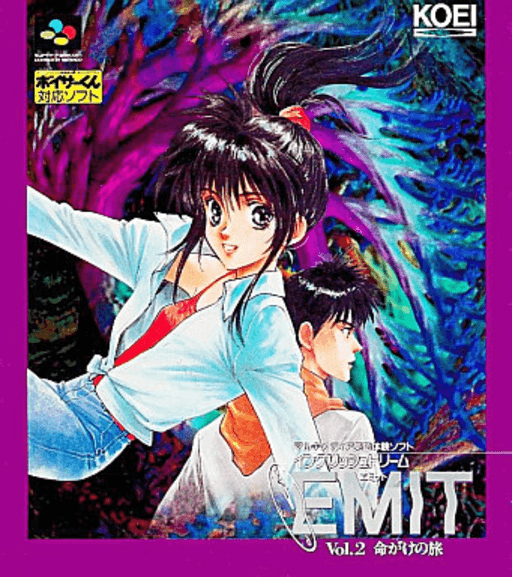
EMIT Vol.2 命がけの旅
Play Emit Vol. 2 - Inochigake no Tabi online for Super Nintendo. Check its version, region, language, player and manual information before starting.
Browser play
Super Nintendo (SNES) / Super Famicom — EmulatorJS controls
Default Player 1 keyboard mapping. Change keys in Controller Settings.
| Console button | Keyboard |
|---|---|
| ↑ / ↓ / ← / → | ↑ / ↓ / ← / → |
| A / B / X / Y | Z / X / A / S |
| L / R | Q / E |
| START / SELECT | Enter / V |
Open Controller Settings to configure your keyboard or gamepad. Touch controls are available on mobile.
How to Play Emit Vol. 2 - Inochigake no Tabi
Quick start
Open Emit Vol. 2 - Inochigake no Tabi and use the title screen to start. Read any opening prompts before the first input; if an options menu is available, review its settings.
Controls
Use the D-pad together with A, B, X, Y, L, and R. Use Start and Select when those commands appear in the title screen or menus; use the linked manual or in-game instructions for the exact action assigned to each button.
Emit Vol. 2 - Inochigake no Tabi — About this game
This page covers the Japanese version. The catalog records the release as 1995-03-25. The recorded publisher is Koei. Recorded in-game language support: Japanese and English. The catalog lists support for up to 1 player.
Cheats
No cheats have been added for this edition.
Player verification and sources
Browser play was reviewed before this edition was published in the catalogue. The date below is the catalogue publication date, not the game’s original release date.
- Browser test and catalogue publication date
- Browsers and devices
- PC: Chrome, Edge and Firefox. Mobile: Chrome on Android and Safari on iPhone and iPad.
- Player engine and core
- EmulatorJS 4.3.0-pre · snes
- Tested by
- rwEmulator
Sources and editorial basis
rwEmulator reviews edition metadata, release information, game manuals and first-hand browser-play notes. Available manuals are linked below; the editorial policy explains how facts are checked and corrections are handled.