More browsing paths
Play Soroban DS (Japan edition · Japanese) Online
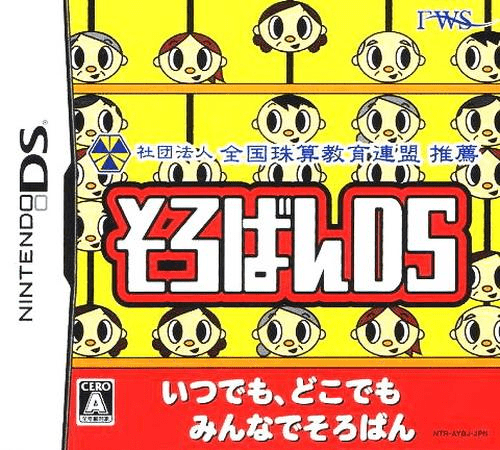
Soroban DS
Play Soroban DS online. Work arithmetic on a touch-screen abacus, then try spoken sums, flash calculations and practice tests. Learn how to begin and use the Nintendo DS menus.
Browser play
Nintendo DS (NDS) — EmulatorJS controls
Default Player 1 keyboard mapping. Change keys in Controller Settings.
| Console button | Keyboard |
|---|---|
| ↑ / ↓ / ← / → | ↑ / ↓ / ← / → |
| A / B / X / Y | Z / X / A / S |
| L / R | Q / E |
| START / SELECT | Enter / V |
| Microphone | Not assigned |
Open Controller Settings to configure your keyboard or gamepad. Touch controls are available on mobile.
How to Play Soroban DS
Quick start
Select a basic exercise and identify each column’s place value. Represent a small number, complete the displayed calculation and check the answer as prompted. Try spoken or flash practice after learning the basic bead movements.
Controls
Use the stylus to operate the displayed abacus and select lesson settings. Move beads toward or away from the bar to represent values, then use the shown answer and reset controls. Follow separate instructions in minigames.
Soroban DS — About this game
Soroban DS provides an electronic abacus for lessons ranging from beginner work to advanced practice. Move the beads with the stylus, represent the required number and work through the chosen arithmetic task. Other activities present numbers briefly or read them aloud, while practice questions follow abacus and mental-arithmetic test formats. Spoken practice lets you adjust the number of terms, digit length and voice; separate minigames provide another way to use the abacus. Begin with short numbers and a simple exercise, check place values carefully and increase the settings only after the bead movements feel familiar.
Soroban DS Game manuals
Cheats
No cheats have been added for this edition.
Player verification and sources
Browser play was reviewed before this edition was published in the catalogue. The date below is the catalogue publication date, not the game’s original release date.
- Browser test and catalogue publication date
- Browsers and devices
- PC: Chrome, Edge and Firefox. Mobile: Chrome on Android and Safari on iPhone and iPad.
- Player engine and core
- EmulatorJS 4.3.0-pre · nds
- Tested by
- rwEmulator
Sources and editorial basis
rwEmulator reviews edition metadata, release information, game manuals and first-hand browser-play notes. Available manuals are linked below; the editorial policy explains how facts are checked and corrections are handled.