More browsing paths
Play Space Marauder (US edition · English) Online
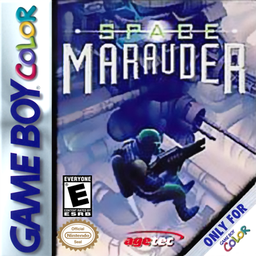
Space Marauder
Play Space Marauder online on GBC. Fly, dodge and use varied weapons through scrolling enemy bases.
Browser play
Game Boy Color (GBC) — EmulatorJS controls
Default Player 1 keyboard mapping. Change keys in Controller Settings.
| Console button | Keyboard |
|---|---|
| ↑ / ↓ / ← / → | ↑ / ↓ / ← / → |
| A / B | Z / X |
| START / SELECT | Enter / V |
Open Controller Settings to configure your keyboard or gamepad. Touch controls are available on mobile.
How to Play Space Marauder
Quick start
Choose a game and difficulty, then use the first stretch to practise moving while firing. The directional pad moves in eight directions, A fires and B uses a cobalt bomb. Save bombs for a crowded escape and keep clear of terrain instead of following every dropped item.
Controls
The directional pad moves the fighter in eight directions. A fires; keep firing to maintain the attack direction while dodging. B uses an available cobalt bomb and START pauses. Menus use the directional pad and A.
Space Marauder — About this game
Laser, missile and ring weapons change the shape of your attack, while cobalt bombs offer a way to clear a dangerous screen. Look ahead before chasing a pickup so the scrolling route does not trap you against a wall. Hold a firing direction while moving out of danger, then readjust when enemies approach from another side.
Space Marauder Game manuals
Cheats
No cheats have been added for this edition.
Player verification and sources
Browser play was reviewed before this edition was published in the catalogue. The date below is the catalogue publication date, not the game’s original release date.
- Browser test and catalogue publication date
- Browsers and devices
- PC: Chrome, Edge and Firefox. Mobile: Chrome on Android and Safari on iPhone and iPad.
- Player engine and core
- EmulatorJS 4.3.0-pre · gb
- Tested by
- rwEmulator
Sources and editorial basis
rwEmulator reviews edition metadata, release information, game manuals and first-hand browser-play notes. Available manuals are linked below; the editorial policy explains how facts are checked and corrections are handled.