More browsing paths
Play Space Shuttle Project (US edition · English) Online
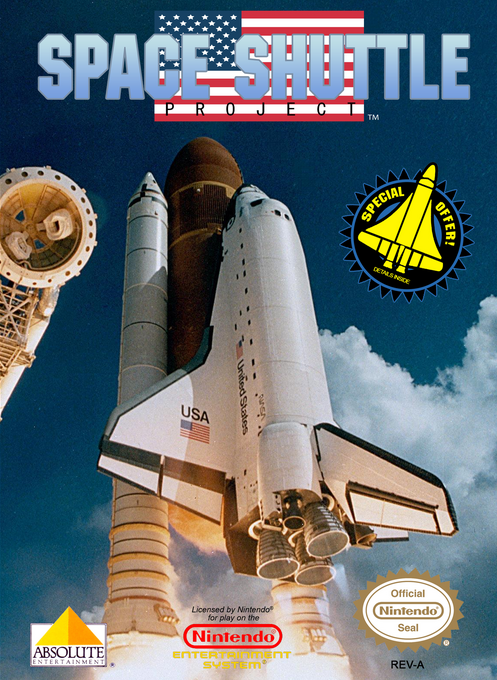
Space Shuttle Project
Play Space Shuttle Project online. Prepare the shuttle, master launch displays, deploy satellites, build a space station and guide the crew home in six NES missions.
Browser play
Nintendo Entertainment System (NES) / Famicom — EmulatorJS controls
Default Player 1 keyboard mapping. Change keys in Controller Settings.
| Console button | Keyboard |
|---|---|
| ↑ / ↓ / ← / → | ↑ / ↓ / ← / → |
| A / B | Z / X |
| START / SELECT | Enter / V |
Open Controller Settings to configure your keyboard or gamepad. Touch controls are available on mobile.
How to Play Space Shuttle Project
Quick start
Press START, then note the four-digit security code and shuttle name before entering your name. Move the letter cursor with the D-pad, select with A, correct with B and finish with END. Stop each cycling code digit with A when it matches, then confirm the matching shuttle name with A. On the launch gantry, use the elevator to reach each flashing oxygen, hydrogen and hatch switch and press A. Return to collect crew members one at a time and escort each aboard. Mission 1 allows 40 seconds, so learn that route first.
Controls
START begins the game. Security entry: D-pad moves the cursor; A chooses letters and locks code digits or shuttle names; B erases a letter. On the gantry, the D-pad moves you and operates the elevator; A activates flashing switches. Cockpit controls depend on the displayed task: A stops the flight-procedure needle; Left/Right matches thrust or selects a test light, with A confirming the light; Up/Down guides the tracking and vernier indicators. For GIMBAL, B stops the left needle and A the right. In orbital missions, A releases the satellite or MMU from the cargo bay and the D-pad moves it.
Space Shuttle Project — About this game
Space Shuttle Project turns a shuttle flight into a sequence of hands-on challenges. Each of its six missions includes fueling and crew boarding, lift-off, a particular orbital assignment, and reentry. The orbital work ranges from deploying or repairing a satellite to assembling a space station and rescuing a stranded cosmonaut. Before reaching the launch pad, you must remember a security code and shuttle name, then reproduce them during sign-in. Launch and landing use several cockpit displays: some test timing, others ask you to match thrust, repeat lights or keep an indicator aligned. Spacewalks add another concern, because oxygen drains steadily and collisions reduce maneuvering power. Find replenishment supplies rather than rushing blindly through orbit. Successful missions issue a personalized code so later sessions can continue beyond completed flights.
Cheats
No cheats have been added for this edition.
Player verification and sources
Browser play was reviewed before this edition was published in the catalogue. The date below is the catalogue publication date, not the game’s original release date.
- Browser test and catalogue publication date
- Browsers and devices
- PC: Chrome, Edge and Firefox. Mobile: Chrome on Android and Safari on iPhone and iPad.
- Player engine and core
- EmulatorJS 4.3.0-pre · nes
- Tested by
- rwEmulator
Sources and editorial basis
rwEmulator reviews edition metadata, release information, game manuals and first-hand browser-play notes. Available manuals are linked below; the editorial policy explains how facts are checked and corrections are handled.