More browsing paths
Play Spawn (US edition · English) Online
Spawn
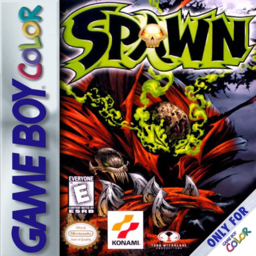
Play Spawn online on Game Boy Color. Move Spawn through a dark comic-book action platformer, facing enemies while crossing hazardous routes. Watch the space around the hero and the next landing so that an attack does not leave you exposed to another threat.
Browser play
Game Boy Color (GBC) — EmulatorJS controls
Default Player 1 keyboard mapping. Change keys in Controller Settings.
| Console button | Keyboard |
|---|---|
| ↑ / ↓ / ← / → | ↑ / ↓ / ← / → |
| A / B | Z / X |
| START / SELECT | Enter / V |
Open Controller Settings to configure your keyboard or gamepad. Touch controls are available on mobile.
How to Play Spawn
Quick start
Start a new game, read the opening scene and practise movement and the displayed attack/jump controls. Clear one obstacle before pushing into another encounter.
Controls
The D-pad moves Spawn and selects menus, A confirms menu choices, B cancels where offered. Follow the action guide for attacks and platform movement, and check the landing and enemy reach before combining inputs.
Spawn — About this game
Begin by testing a basic action on safe ground, then approach one enemy at a time. Keep room to retreat after a miss and inspect the route after clearing a fight. Stable positioning lets you choose the next action rather than simply trading damage.
Cheats
No cheats have been added for this edition.
Player verification and sources
Browser play was reviewed before this edition was published in the catalogue. The date below is the catalogue publication date, not the game’s original release date.
- Browser test and catalogue publication date
- Browsers and devices
- PC: Chrome, Edge and Firefox. Mobile: Chrome on Android and Safari on iPhone and iPad.
- Player engine and core
- EmulatorJS 4.3.0-pre · gb
- Tested by
- rwEmulator
Sources and editorial basis
rwEmulator reviews edition metadata, release information, game manuals and first-hand browser-play notes. Available manuals are linked below; the editorial policy explains how facts are checked and corrections are handled.