More browsing paths
Play Spider-Man: Edge of Time (US edition · English / French) Online
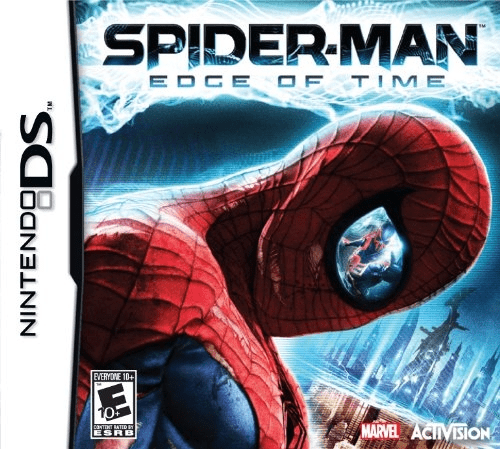
Spider-Man - Edge of Time
Play Spider-Man: Edge of Time online. Switch between two Spider-Men across time, explore linked maps and find upgrades that open blocked routes. Learn how to begin and use the Nintendo DS menus.
Browser play
Nintendo DS (NDS) — EmulatorJS controls
Default Player 1 keyboard mapping. Change keys in Controller Settings.
| Console button | Keyboard |
|---|---|
| ↑ / ↓ / ← / → | ↑ / ↓ / ← / → |
| A / B / X / Y | Z / X / A / S |
| L / R | Q / E |
| START / SELECT | Enter / V |
| Microphone | Not assigned |
Open Controller Settings to configure your keyboard or gamepad. Touch controls are available on mobile.
How to Play Spider-Man: Edge of Time
Quick start
Start the story and practice jumping into a web swing. Follow the current objective, examine side passages for upgrades and press SELECT to try the other hero when progress stops. Return to blocked routes after gaining an ability.
Controls
Use the Control Pad to move and climb. B jumps; press B again in the air and hold to swing. Left/right adjust the swing and up/down change web length. SELECT switches Spider-Men. Use the displayed attack and interaction prompts during fights and puzzles.
Spider-Man: Edge of Time — About this game
Spider-Man: Edge of Time gives the DS its own side-view adventure with Peter Parker and Spider-Man 2099. Each hero explores a version of the city, while changes in one era can alter a route in the other. Switching characters is part of solving the map: a blocked path may require a nearby upgrade or an action in the other time period. Swing through gaps, climb surfaces and search corners before returning to a stubborn barrier. Combat interrupts exploration, but understanding which ability opens the next passage matters more than fighting every respawning enemy.
Spider-Man: Edge of Time Game manuals
Cheats
No cheats have been added for this edition.
Player verification and sources
Browser play was reviewed before this edition was published in the catalogue. The date below is the catalogue publication date, not the game’s original release date.
- Browser test and catalogue publication date
- Browsers and devices
- PC: Chrome, Edge and Firefox. Mobile: Chrome on Android and Safari on iPhone and iPad.
- Player engine and core
- EmulatorJS 4.3.0-pre · nds
- Tested by
- rwEmulator
Sources and editorial basis
rwEmulator reviews edition metadata, release information, game manuals and first-hand browser-play notes. Available manuals are linked below; the editorial policy explains how facts are checked and corrections are handled.