More browsing paths
Play Sports Collection (US edition · English / French) Online
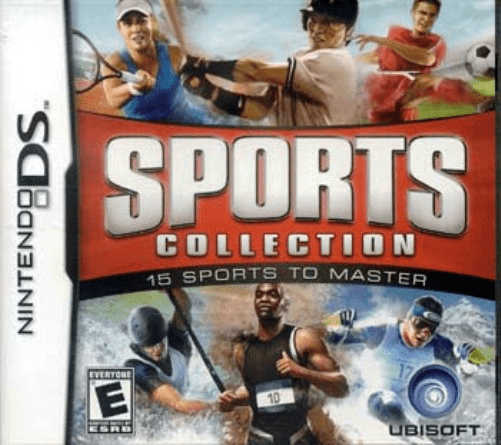
Sports Collection
Play Sports Collection online. Try fifteen arcade sports, choose an athlete’s strengths and win coins and medals toward tougher tournaments. Learn how to begin and use the Nintendo DS menus.
Browser play
Nintendo DS (NDS) — EmulatorJS controls
Default Player 1 keyboard mapping. Change keys in Controller Settings.
| Console button | Keyboard |
|---|---|
| ↑ / ↓ / ← / → | ↑ / ↓ / ← / → |
| A / B / X / Y | Z / X / A / S |
| L / R | Q / E |
| START / SELECT | Enter / V |
| Microphone | Not assigned |
Open Controller Settings to configure your keyboard or gamepad. Touch controls are available on mobile.
How to Play Sports Collection
Quick start
Choose an athlete and an easy event. Read its control demonstration and practice the required touch motion before chasing medals. Repeat a familiar sport to build results, then use unlocked tournaments for the next challenge.
Controls
Use the touch screen to select menus and follow the event’s tapping, dragging or timing cues. Use the microphone only when the displayed instruction calls for it. Check each sport’s demonstration, since a motion learned in one event does not automatically apply to another.
Sports Collection — About this game
Sports Collection brings fifteen sports together in a DS collection, ranging from baseball to ice climbing. Eighteen athletes have different strength, energy and speed characteristics, so choosing a participant affects how an event feels. Competitions use the touch screen, stylus and selected microphone actions, with each sport introducing its own gesture or timing rule. Begin on the easiest of three levels, study the event instructions and aim for a reliable result before moving to harder tournaments. Good performances earn coins and medals that open more challenges, making replay about improving a particular event as well as trying another sport.
Sports Collection Game manuals
Cheats
No cheats have been added for this edition.
Player verification and sources
Browser play was reviewed before this edition was published in the catalogue. The date below is the catalogue publication date, not the game’s original release date.
- Browser test and catalogue publication date
- Browsers and devices
- PC: Chrome, Edge and Firefox. Mobile: Chrome on Android and Safari on iPhone and iPad.
- Player engine and core
- EmulatorJS 4.3.0-pre · nds
- Tested by
- rwEmulator
Sources and editorial basis
rwEmulator reviews edition metadata, release information, game manuals and first-hand browser-play notes. Available manuals are linked below; the editorial policy explains how facts are checked and corrections are handled.