More browsing paths
Play Spyro Shadow Legacy (US edition · English) Online
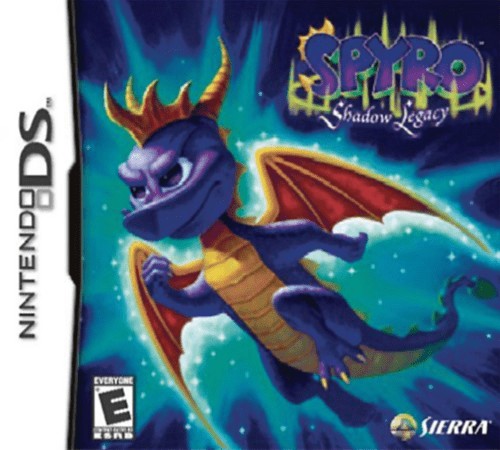
Spyro - Shadow Legacy
Play Spyro Shadow Legacy online. Rescue the Dragon Elders, learn Dragon-Kata and draw spell symbols while exploring Spyro’s shadow-touched world. Learn how to begin and use the Nintendo DS menus.
Browser play
Nintendo DS (NDS) — EmulatorJS controls
Default Player 1 keyboard mapping. Change keys in Controller Settings.
| Console button | Keyboard |
|---|---|
| ↑ / ↓ / ← / → | ↑ / ↓ / ← / → |
| A / B / X / Y | Z / X / A / S |
| L / R | Q / E |
| START / SELECT | Enter / V |
| Microphone | Not assigned |
Open Controller Settings to configure your keyboard or gamepad. Touch controls are available on mobile.
How to Play Spyro Shadow Legacy
Quick start
Touch the title screen and choose New Game. Follow the opening tasks using charge and breath, then check the map for unfinished quests. Visit the Dojo when the level-up reminder appears, and practice a newly learned spell from its touch-screen menu.
Controls
The Control Pad moves Spyro. B jumps, R charges, Y uses breath, X performs horn/action, A uses the tail and L raises the shield. As abilities are learned, open the spellcasting icon and draw the correct symbol. Touch the map, inventory or stats icons to review progress.
Spyro Shadow Legacy — About this game
Spyro Shadow Legacy sends Spyro after a magical storm traps the Dragon Elders in the Shadow Realm. Fighting and exploration develop together: he starts with charge and breath attacks, then learns new Dragon-Kata moves and spells from rescued teachers. Draw a learned spell’s symbol on the touch screen to attack, move heavy objects or travel. Collect gems for purchases and watch the red health and blue magic meters. When the level-up reminder appears, return to the Dojo to learn new techniques instead of assuming every move arrives automatically. Crystals offer useful effects but wear out with use, so check equipment as the adventure continues.
Spyro Shadow Legacy Game manuals
Cheats
No cheats have been added for this edition.
Player verification and sources
Browser play was reviewed before this edition was published in the catalogue. The date below is the catalogue publication date, not the game’s original release date.
- Browser test and catalogue publication date
- Browsers and devices
- PC: Chrome, Edge and Firefox. Mobile: Chrome on Android and Safari on iPhone and iPad.
- Player engine and core
- EmulatorJS 4.3.0-pre · nds
- Tested by
- rwEmulator
Sources and editorial basis
rwEmulator reviews edition metadata, release information, game manuals and first-hand browser-play notes. Available manuals are linked below; the editorial policy explains how facts are checked and corrections are handled.