More browsing paths
Play Squeeballs Party (US edition) Online
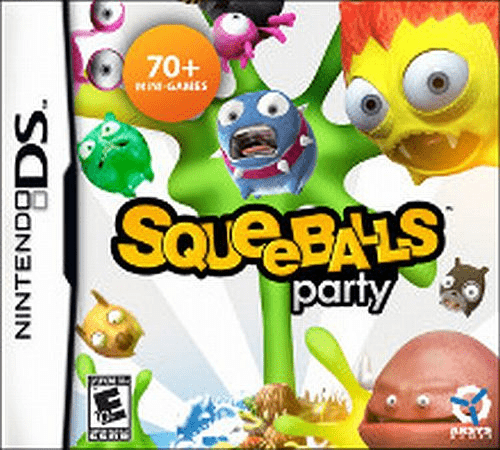
Squeeballs Party
Play Squeeballs Party online. Put toy creatures through comic quality tests, aiming, rolling and preparing them in short stylus mini-games. Learn how to begin and use the Nintendo DS menus.
Browser play
Nintendo DS (NDS) — EmulatorJS controls
Default Player 1 keyboard mapping. Change keys in Controller Settings.
| Console button | Keyboard |
|---|---|
| ↑ / ↓ / ← / → | ↑ / ↓ / ← / → |
| A / B / X / Y | Z / X / A / S |
| L / R | Q / E |
| START / SELECT | Enter / V |
| Microphone | Not assigned |
Open Controller Settings to configure your keyboard or gamepad. Touch controls are available on mobile.
How to Play Squeeballs Party
Quick start
Choose an available test and read its instructions. Try the aiming or movement gesture once to learn the response, then repeat for a better result. Check the new rule whenever you switch to another test.
Controls
Use the stylus and touch screen for menus and each test’s tapping, dragging, aiming or release action. Follow the illustrated direction and timing cue, and lift or tap only when the activity requests it. Use its retry or next-test option after the result.
Squeeballs Party — About this game
Squeeballs Party presents the Squeeballs as toys facing a collection of absurd quality-control trials. The activities turn them into targets, bowling pins and even cooking ingredients, with cartoon mishaps following a failed test. Each challenge has its own action rule, so begin by reading the illustrated instructions and practising the required stylus motion. Aiming, release timing and controlled movements matter more than making the largest or fastest gesture. Replay a short test to understand how its result is judged before switching activities. The DS version uses touch input, so follow its screen cues rather than trying to imitate a motion-controller swing.
Squeeballs Party Game manuals
Cheats
No cheats have been added for this edition.
Player verification and sources
Browser play was reviewed before this edition was published in the catalogue. The date below is the catalogue publication date, not the game’s original release date.
- Browser test and catalogue publication date
- Browsers and devices
- PC: Chrome, Edge and Firefox. Mobile: Chrome on Android and Safari on iPhone and iPad.
- Player engine and core
- EmulatorJS 4.3.0-pre · nds
- Tested by
- rwEmulator
Sources and editorial basis
rwEmulator reviews edition metadata, release information, game manuals and first-hand browser-play notes. Available manuals are linked below; the editorial policy explains how facts are checked and corrections are handled.