More browsing paths
Play Star Fox Command (US_AU edition · English) Online
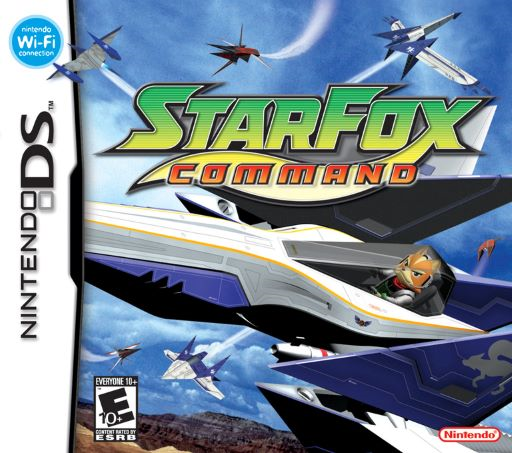
Star Fox Command
Play Star Fox Command online. Draw flight paths on the tactical map, defend the Great Fox and steer by touch in open aerial battles.
Browser play
Nintendo DS (NDS) — EmulatorJS controls
Default Player 1 keyboard mapping. Change keys in Controller Settings.
| Console button | Keyboard |
|---|---|
| ↑ / ↓ / ← / → | ↑ / ↓ / ← / → |
| A / B / X / Y | Z / X / A / S |
| L / R | Q / E |
| START / SELECT | Enter / V |
| Microphone | Not assigned |
Open Controller Settings to configure your keyboard or gamepad. Touch controls are available on mobile.
How to Play Star Fox Command
Quick start
Choose Single Player and follow the prologue. When ROB offers training, accept it and begin by steering through the rings with the stylus. Follow the remaining exercises to learn firing, evasive moves and the fuel timer. The first story mission takes place on Corneria. Draw Fox's route toward an enemy group on the tactical map and confirm the turn. In combat, chase the marked targets and collect their cores before time runs out; protect the Great Fox when planning later routes.
Controls
Slide the stylus from the center of the lower screen to steer. A/B/X/Y/L/R or any D-pad direction fires; hold and release for lock-on attacks in aircraft that support them. Double-tap and hold the upper half of the Touch Screen to boost, or its lower half to brake. Rub quickly side to side two or three times to roll; tap again to stop. Touch Loop/U-turn icons for those maneuvers. Hold the bomb icon and drag to a radar location to drop a stocked bomb. START pauses. Tactical-map routes are drawn by touch.
Star Fox Command — About this game
Star Fox Command alternates between planning turns and flying combat. On the tactical map, draw routes for your pilots, intercept hostile formations and stop threats from reaching the Great Fox. When a fighter meets an enemy, you take control in an open arena and hunt the targets carrying enemy cores. Collecting the required cores ends the encounter, while fuel and the timer keep the pressure on. The DS stylus controls steering, speed changes and evasive maneuvers; physical buttons fire the weapons. Different pilots and aircraft bring different strengths, so a good route and the right fighter matter alongside aim. Further playthroughs reveal additional story choices and endings.
Star Fox Command Game manuals
Cheats
No cheats have been added for this edition.
Player verification and sources
Browser play was reviewed before this edition was published in the catalogue. The date below is the catalogue publication date, not the game’s original release date.
- Browser test and catalogue publication date
- Browsers and devices
- PC: Chrome, Edge and Firefox. Mobile: Chrome on Android and Safari on iPhone and iPad.
- Player engine and core
- EmulatorJS 4.3.0-pre · nds
- Tested by
- rwEmulator
Sources and editorial basis
rwEmulator reviews edition metadata, release information, game manuals and first-hand browser-play notes. Available manuals are linked below; the editorial policy explains how facts are checked and corrections are handled.