More browsing paths
Play Star Luster (Japan edition · Japanese) Online
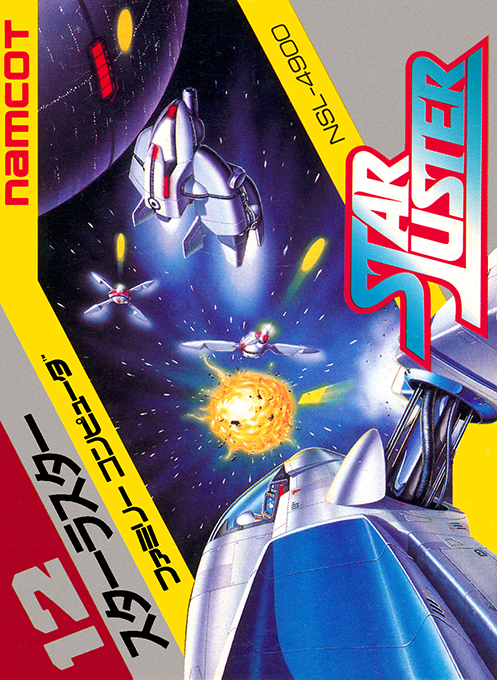
Star Luster
Play Starra Star online. Decide your course on the map, warp to the enemy fleet, and fight from the cockpit perspective. Protect the planet and face the dangers of space while receiving supplies and repairs at the base.
Browser play
Nintendo Entertainment System (NES) / Famicom — EmulatorJS controls
Default Player 1 keyboard mapping. Change keys in Controller Settings.
| Console button | Keyboard |
|---|---|
| ↑ / ↓ / ← / → | ↑ / ↓ / ← / → |
| A / B | Z / X |
| START / SELECT | Enter / V |
Open Controller Settings to configure your keyboard or gamepad. Touch controls are available on mobile.
How to Play Star Luster
Quick start
Use SELECT or START to go to the selection screen, select TRAINING with SELECT and START. First, specify E on the map with the arrow key cursor and press A to warp. During battle, use the direction keys to turn, press A to accelerate, and press B to fire a beam at the target. Return to the map with SELECT and select the next sector. If you need supplies, head to base B, approach it, aim at the center of the base, and turn LOCK ON.
Controls
Directional keys: Move the cursor on the map/turn the aircraft during battle. A: Warp to a specified location on the map/During battle, press to accelerate, release to decelerate. B: Fires a photon torpedo at the cursor position on the map / fires a beam at the aim during battle. SELECT: Rank selection/switch between map and combat. START: Start, suspend/resume. Depending on the mode, the radar displays the entire space or its surroundings.
Star Luster — About this game
To protect the universe from the interdimensional invaders, Batura, we will take off in a fighter jet called Gaia. Check the location of enemy fleets, bases, and stars on the map, and warp to your destination to enter battle from the cockpit perspective. In addition to the technique of aiming and shooting at enemies, it is also important to know in what order you will rescue the planets and bases that are being attacked. Approach the base, aim at the center, and get supplies and repairs before you run out of energy. If the shield is broken, the device may malfunction, so continuous battles are prohibited. In ADVENTURE, you will not only be tasked with destroying the enemy fleet, but you will also be tasked with finding and destroying a dark planet.
Cheats
No cheats have been added for this edition.
Player verification and sources
Browser play was reviewed before this edition was published in the catalogue. The date below is the catalogue publication date, not the game’s original release date.
- Browser test and catalogue publication date
- Browsers and devices
- PC: Chrome, Edge and Firefox. Mobile: Chrome on Android and Safari on iPhone and iPad.
- Player engine and core
- EmulatorJS 4.3.0-pre · nes
- Tested by
- rwEmulator
Sources and editorial basis
rwEmulator reviews edition metadata, release information, game manuals and first-hand browser-play notes. Available manuals are linked below; the editorial policy explains how facts are checked and corrections are handled.