More browsing paths
Play Star Trek: The Next Generation (US edition · English) Online
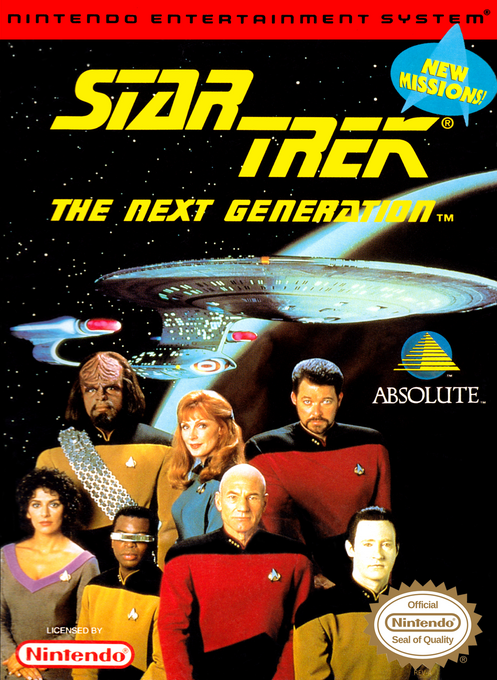
Star Trek: The Next Generation
Play Star Trek: The Next Generation online for NES. Command the Enterprise, navigate to planets, transport survivors, manage ship systems, and face red alerts.
Browser play
Nintendo Entertainment System (NES) / Famicom — EmulatorJS controls
Default Player 1 keyboard mapping. Change keys in Controller Settings.
| Console button | Keyboard |
|---|---|
| ↑ / ↓ / ← / → | ↑ / ↓ / ← / → |
| A / B | Z / X |
| START / SELECT | Enter / V |
Open Controller Settings to configure your keyboard or gamepad. Touch controls are available on mobile.
How to Play Star Trek: The Next Generation
Quick start
Advance the opening screens with any button. On Command Verification, use Up/Down to highlight START GAME and press A. Read Picard's first briefing, press B for its second part, then B again to reach the bridge. In Crew Select mode, use Left/Right and A to contact Data. Open his Course function with A, choose the assigned planetary sector with Up/Down, adjust warp speed with Left/Right, and press A to engage. After arrival, use Data's sensors and the required mission functions; planet transfers require a successful orbit first. Contact Riker whenever you need the objective or deadline repeated, and read flashing crew messages promptly.
Controls
Crew Select: Left/Right highlights crew insignia, A opens the selected officer, and Up/Down increases or decreases impulse speed. SELECT switches between Crew Select and Navigation. Navigation: the Control Pad steers, A fires armed phasers, B fires armed photon torpedoes, and START opens sensor investigation. Arm weapons and raise shields through Worf before combat. Crew screens: Left/Right chooses a function, A opens it, B shows/hides the latest message, SELECT returns to the main view. Course: Up/Down selects sector, Left/Right sets warp factor, A engages. Orbit entry: steer through the centers of the approaching square frames. Beam Up: directions scroll the grid; hold A to display the sight, then keep A held while steering it over the approved target until power fills. Intruder searches also use B+Up/Down to change decks. Engineering power: move between chips with directions and press A to change their routing. START pauses in Crew Select and the documented orbit, transporter, and weapons function screens; its Navigation-mode function is sensors, not pause.
Star Trek: The Next Generation — About this game
Star Trek: The Next Generation puts you in a Starfleet cadet's holodeck simulation rather than a conventional away-team adventure. From the Enterprise's forward view, you contact Worf for shields and weapons, Data for courses, sensors and orbit, La Forge for power and repairs, O'Brien for transporters, and Riker for mission orders and deadlines. Each assignment asks you to combine those systems: travel to the right sector, maneuver into position, and transfer people or cargo while watching damage and the clock. Orbit entry tests your steering through target frames, transporter operations require tracking valid targets, and engineering uses a circuit-board puzzle to route energy. Hostile ships and red-alert emergencies can interrupt the plan. Successful performance improves your cadet ranking, with passwords preserving that rank for later sessions and more complex missions.
Cheats
No cheats have been added for this edition.
Player verification and sources
Browser play was reviewed before this edition was published in the catalogue. The date below is the catalogue publication date, not the game’s original release date.
- Browser test and catalogue publication date
- Browsers and devices
- PC: Chrome, Edge and Firefox. Mobile: Chrome on Android and Safari on iPhone and iPad.
- Player engine and core
- EmulatorJS 4.3.0-pre · nes
- Tested by
- rwEmulator
Sources and editorial basis
rwEmulator reviews edition metadata, release information, game manuals and first-hand browser-play notes. Available manuals are linked below; the editorial policy explains how facts are checked and corrections are handled.