More browsing paths
Play Star Wars: The Clone Wars – Jedi Alliance (US edition · English / French / German / Spanish) Online
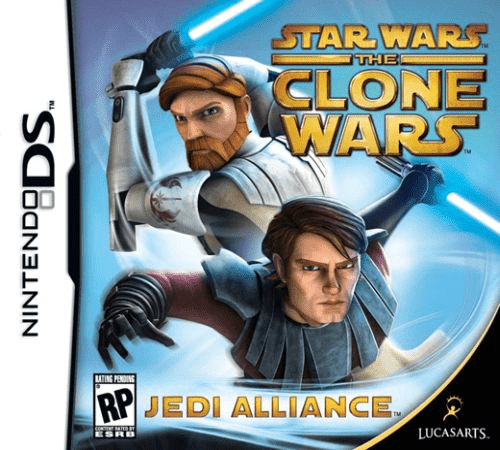
Star Wars - The Clone Wars - Jedi Alliance
Play Star Wars: The Clone Wars – Jedi Alliance online. Choose a Jedi pair, investigate stolen lightsaber crystals and use stylus actions for fighting, puzzles and dramatic escapes. Learn how to begin and use the Nintendo DS menus.
Browser play
Nintendo DS (NDS) — EmulatorJS controls
Default Player 1 keyboard mapping. Change keys in Controller Settings.
| Console button | Keyboard |
|---|---|
| ↑ / ↓ / ← / → | ↑ / ↓ / ← / → |
| A / B / X / Y | Z / X / A / S |
| L / R | Q / E |
| START / SELECT | Enter / V |
| Microphone | Not assigned |
Open Controller Settings to configure your keyboard or gamepad. Touch controls are available on mobile.
How to Play Star Wars: The Clone Wars – Jedi Alliance
Quick start
Choose two Jedi and read the mission briefing. Practise movement, attacking an enemy and deflecting a shot. Use SELECT to review commands, solve the first door panel and follow the direction and speed shown during an action sequence.
Controls
Use the stylus for movement and tap enemies to attack. Tap your character at impact to deflect a shot. Hold L or R and tap a target for Force actions or suitable objects. Trace or match door prompts and copy action-sequence strokes; SELECT shows the command reference.
Star Wars: The Clone Wars – Jedi Alliance — About this game
Star Wars: The Clone Wars – Jedi Alliance sends pairs of Jedi after a stolen shipment of lightsaber crystals during the Clone Wars. Choose the team before a mission, then guide them through fights, locked doors and short action sequences with the stylus. Different pairings can open hidden areas, giving a return visit a different purpose. Combat asks you to tap enemies, time deflections and use Force actions, while door panels provide matching or tracing tasks. During a dramatic escape, copy the shown movement carefully rather than simply tapping faster. Begin by learning the command reference, then concentrate on one clear gesture at a time.
Star Wars: The Clone Wars – Jedi Alliance Game manuals
Cheats
No cheats have been added for this edition.
Player verification and sources
Browser play was reviewed before this edition was published in the catalogue. The date below is the catalogue publication date, not the game’s original release date.
- Browser test and catalogue publication date
- Browsers and devices
- PC: Chrome, Edge and Firefox. Mobile: Chrome on Android and Safari on iPhone and iPad.
- Player engine and core
- EmulatorJS 4.3.0-pre · nds
- Tested by
- rwEmulator
Sources and editorial basis
rwEmulator reviews edition metadata, release information, game manuals and first-hand browser-play notes. Available manuals are linked below; the editorial policy explains how facts are checked and corrections are handled.