More browsing paths
Play Yoda Stories (GB Compatible · US_EU edition · English) Online
Star Wars - Yoda Stories
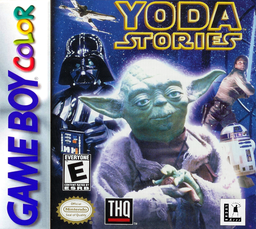
Play Yoda Stories online on Game Boy Color. Explore a small Star Wars adventure as Luke Skywalker in Yoda Stories. Walk through areas, talk to characters and use items to solve the next obstacle, connecting each clue to a place you can inspect.
Browser play
Game Boy Color (GBC) — EmulatorJS controls
Default Player 1 keyboard mapping. Change keys in Controller Settings.
| Console button | Keyboard |
|---|---|
| ↑ / ↓ / ← / → | ↑ / ↓ / ← / → |
| A / B | Z / X |
| START / SELECT | Enter / V |
Open Controller Settings to configure your keyboard or gamepad. Touch controls are available on mobile.
How to Play Yoda Stories
Quick start
Begin a new adventure, read the opening task and inspect the nearby area. Speak to available characters, check the item menu and follow the first clear clue.
Controls
The D-pad moves Luke and selects menu options, A confirms choices and B cancels where offered. Use the displayed inventory and action commands for interactions; inspect the target before choosing an item.
Yoda Stories — About this game
Start by speaking to the first characters and examining the available paths. Keep track of what an item is for before using it. When the route stops, revisit the scene and compare the obstacle with the objects you carry instead of walking the same circuit repeatedly.
Cheats
No cheats have been added for this edition.
Player verification and sources
Browser play was reviewed before this edition was published in the catalogue. The date below is the catalogue publication date, not the game’s original release date.
- Browser test and catalogue publication date
- Browsers and devices
- PC: Chrome, Edge and Firefox. Mobile: Chrome on Android and Safari on iPhone and iPad.
- Player engine and core
- EmulatorJS 4.3.0-pre · gb
- Tested by
- rwEmulator
Sources and editorial basis
rwEmulator reviews edition metadata, release information, game manuals and first-hand browser-play notes. Available manuals are linked below; the editorial policy explains how facts are checked and corrections are handled.