More browsing paths
Play Stick Hunter: Exciting Ice Hockey Game (Japan edition · Japanese) Online
Stick Hunter: Exciting Ice Hockey
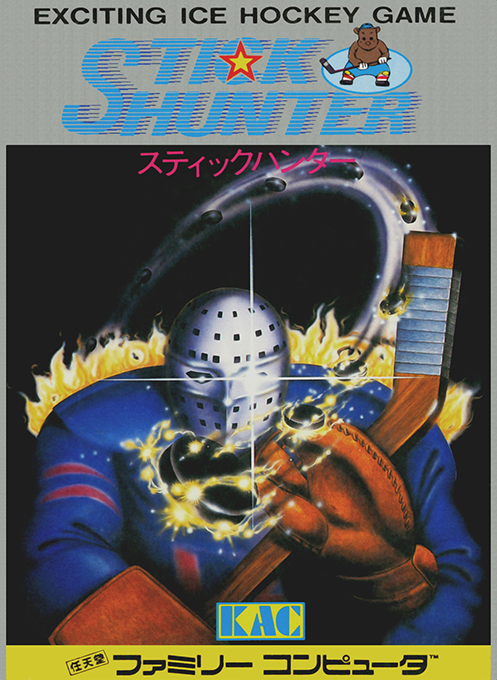
Let's play FC "Stick Hunter" online. It is an ice hockey game with unique controls, featuring teams from 8 countries, single-player play, two-player play, and cooperative modes.
Browser play
Nintendo Entertainment System (NES) / Famicom — EmulatorJS controls
Default Player 1 keyboard mapping. Change keys in Controller Settings.
| Console button | Keyboard |
|---|---|
| ↑ / ↓ / ← / → | ↑ / ↓ / ← / → |
| A / B | Z / X |
| START / SELECT | Enter / V |
Open Controller Settings to configure your keyboard or gamepad. Touch controls are available on mobile.
How to Play Stick Hunter: Exciting Ice Hockey Game
Quick start
Press SELECT on the title, select 1PLAYER or 2PLAYER, and press START to proceed to the setting screen. Move the cursor to TEAM SELECT, SKILL LEVEL, and TIME using the up and down arrow buttons, change the content using the left and right buttons, and start the match with START. It is safe to practice operating at SKILL LEVEL 1 and short TIME for the first time. When attacking, press and hold the cross to accelerate, and press A to speed up. Shooting is a unique input where you hold down A and release the crosshair. On defense, press A and B at the same time to switch to a teammate closest to the puck, and in front of the goal, overlap the puck with the keeper and hold it with Down + B.
Controls
When attacking: Stick handling and movement with the cross button. If you keep inserting it in a certain direction, it will accelerate, and if you press A while inserting the cross, it will accelerate even more. To shoot, release the cross button while holding A, and adjust the angle using the cross input while swinging. Brake with B while making a cross in the opposite direction of travel. Stack the enemy's stick on the puck and press A or B repeatedly to steal it. Press A+B at the same time to switch to the closest ally to the puck. When defending: move the player and keeper with a cross. When the keeper collides with the puck, press Down + B to hold it, and press A or B to pass it to a teammate. SELECT selects 1P/2P of the title, START moves to the settings screen, starts the match, pauses and resumes during the match.
Stick Hunter: Exciting Ice Hockey Game — About this game
``Stick Hunter'' is an ice hockey game for the Famicom released by K. Amusement Lease in 1987. You can choose from eight teams, including Japan, the United States, the Soviet Union, and Canada, and play against the computer alone, or you can play two-player matches and cooperative modes where two players are in charge of the same team. Before the match, you set the opponent team, 5 levels of strength, and match time of 10, 20, and 30 minutes, and compete for 3 periods on a 3-screen configuration overlooking the entire rink. It features complex operations in which players with numbers lit above their heads are moved, and the same button functions differently when holding the puck and when defending. There are some unique rules that are different from the actual game, so the shortcut to victory is to first get used to stopping, changing players, and inputting shots.
Cheats
No cheats have been added for this edition.
Player verification and sources
Browser play was reviewed before this edition was published in the catalogue. The date below is the catalogue publication date, not the game’s original release date.
- Browser test and catalogue publication date
- Browsers and devices
- PC: Chrome, Edge and Firefox. Mobile: Chrome on Android and Safari on iPhone and iPad.
- Player engine and core
- EmulatorJS 4.3.0-pre · nes
- Tested by
- rwEmulator
Sources and editorial basis
rwEmulator reviews edition metadata, release information, game manuals and first-hand browser-play notes. Available manuals are linked below; the editorial policy explains how facts are checked and corrections are handled.