More browsing paths
Play Stitch Jam (US edition · English) Online
Stitch Jam
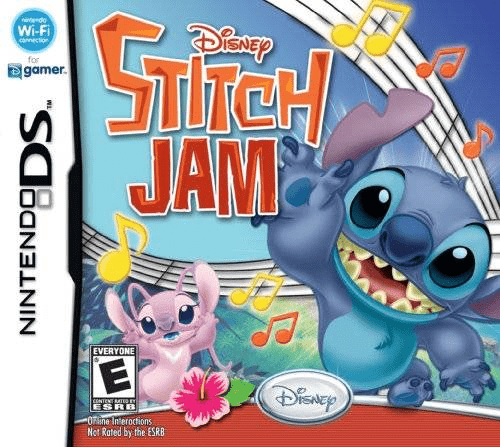
Play Stitch Jam online. Help Stitch rescue Angel by tapping and sliding to the music. Learn how to begin and use the Nintendo DS menus.
Browser play
Nintendo DS (NDS) — EmulatorJS controls
Default Player 1 keyboard mapping. Change keys in Controller Settings.
| Console button | Keyboard |
|---|---|
| ↑ / ↓ / ← / → | ↑ / ↓ / ← / → |
| A / B / X / Y | Z / X / A / S |
| L / R | Q / E |
| START / SELECT | Enter / V |
| Microphone | Not assigned |
Open Controller Settings to configure your keyboard or gamepad. Touch controls are available on mobile.
How to Play Stitch Jam
Quick start
Open Options, select touch or button controls and start on Easy. Enter Story Mode and hit notes as they overlap Stitch. Watch for hearts to recover health and clear the mission to continue.
Controls
With the stylus, tap when Stitch overlaps a note and slide in the indicated direction for arrow or action notes. With buttons, use up/down for arrows and A/B for marked action notes; ordinary notes and hearts accept A, B, X or Y. Easy simplifies note inputs.
Stitch Jam — About this game
Stitch Jam sends Stitch through a musical rescue mission, with notes scrolling toward him as each stage plays. Accurate hits build the tune and trigger attacks or evasive moves; heart notes restore health. Choose touch or button controls and adjust the difficulty before starting. Clearing the story opens additional ways to revisit the songs, while challenge levels reward increasingly precise timing.
Stitch Jam Game manuals
Cheats
No cheats have been added for this edition.
Player verification and sources
Browser play was reviewed before this edition was published in the catalogue. The date below is the catalogue publication date, not the game’s original release date.
- Browser test and catalogue publication date
- Browsers and devices
- PC: Chrome, Edge and Firefox. Mobile: Chrome on Android and Safari on iPhone and iPad.
- Player engine and core
- EmulatorJS 4.3.0-pre · nds
- Tested by
- rwEmulator
Sources and editorial basis
rwEmulator reviews edition metadata, release information, game manuals and first-hand browser-play notes. Available manuals are linked below; the editorial policy explains how facts are checked and corrections are handled.