More browsing paths
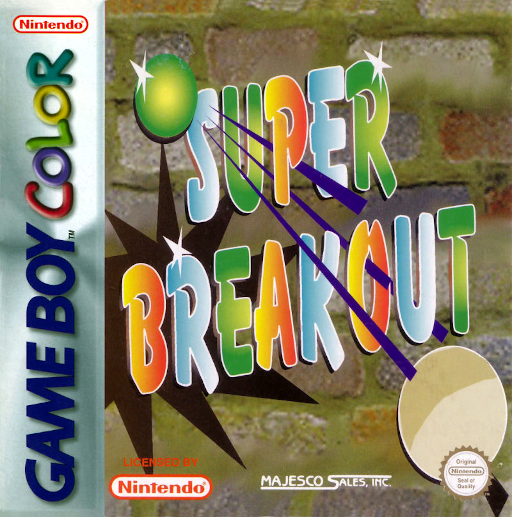
Play Super Breakout! (GB Compatible · Europe edition · English / French / German / Spanish / Italian / Dutch) Online
Super Breakout!
Play Super Breakout! online on GBC. Keep a ball in play with a paddle and chip away the brick wall above. Regular, Double, Cavity, Progressive and Practice change how the screen behaves, making the familiar rebound rule a test of positioning and concentration.
Browser play
Game Boy Color (GBC) — EmulatorJS controls
Default Player 1 keyboard mapping. Change keys in Controller Settings.
| Console button | Keyboard |
|---|---|
| ↑ / ↓ / ← / → | ↑ / ↓ / ← / → |
| A / B | Z / X |
| START / SELECT | Enter / V |
Open Controller Settings to configure your keyboard or gamepad. Touch controls are available on mobile.
How to Play Super Breakout!
Quick start
Press START, choose one player and Regular or Practice, then START again. Move the paddle under each descending ball and aim to clear the wall.
Controls
Left/Right moves the paddle. On game selection, Up/Down or SELECT changes the option; Left/Right or A/B changes its setting. START confirms the selections.
Super Breakout! — About this game
Super Breakout! for Game Boy Color. Watch the return path rather than chasing the ball after it reaches the bottom. A clear lane through the bricks creates different rebound angles; move the paddle early to cover the next landing. Two-player play alternates turns after a lost ball.
Super Breakout! Game manuals
Cheats
No cheats have been added for this edition.
Player verification and sources
Browser play was reviewed before this edition was published in the catalogue. The date below is the catalogue publication date, not the game’s original release date.
- Browser test and catalogue publication date
- Browsers and devices
- PC: Chrome, Edge and Firefox. Mobile: Chrome on Android and Safari on iPhone and iPad.
- Player engine and core
- EmulatorJS 4.3.0-pre · gb
- Tested by
- rwEmulator
Sources and editorial basis
rwEmulator reviews edition metadata, release information, game manuals and first-hand browser-play notes. Available manuals are linked below; the editorial policy explains how facts are checked and corrections are handled.