More browsing paths
Play Little Ninja Brothers (US edition · English) Online
Little Ninja Brothers
Play Little Ninja Brothers online. Explore towns with Jack and Ryu, fight with punches and jumping kicks, and learn the version's starting options, battle commands and password system.
Browser play
Nintendo Entertainment System (NES) / Famicom — EmulatorJS controls
Default Player 1 keyboard mapping. Change keys in Controller Settings.
| Console button | Keyboard |
|---|---|
| ↑ / ↓ / ← / → | ↑ / ↓ / ← / → |
| A / B | Z / X |
| START / SELECT | Enter / V |
Open Controller Settings to configure your keyboard or gamepad. Touch controls are available on mobile.
How to Play Little Ninja Brothers
Quick start
Select RPG, choose START for a new game, then set one or two players, text speed, and HARD, NORMAL or EASY. Visit the nearby town to talk to residents and buy equipment before pushing farther into the map. Press A for commands; face a person and choose TALK to speak. In battle, begin with A attacks and direction-plus-B kicks, and break rocks for items. Visit a Convenience Store and record its password before leaving the game.
Controls
D-pad: move and choose commands. A: open/confirm map and town commands; attack in battle. B: cancel menus. Hold a direction and press B for a jumping kick. With a K charge, press B without a direction, then press the desired direction for a Dragon Kick. A+B together or START opens the battle equipment/item menu. In athletic events, tap A repeatedly to run; a single A press punches. START and SELECT are unused on the map screen.
Little Ninja Brothers — About this game
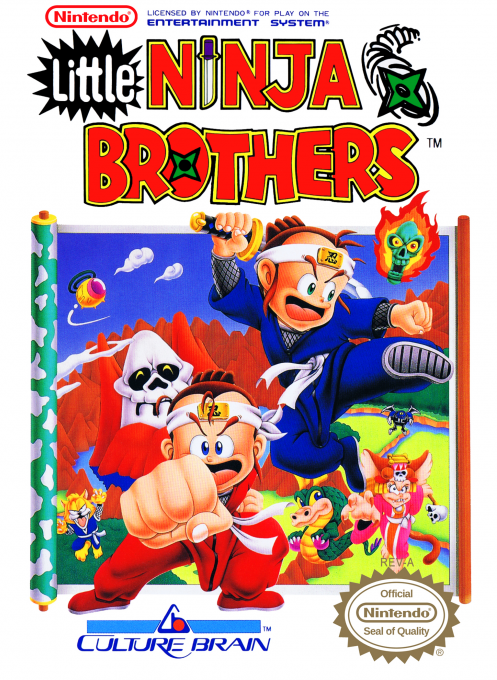
Little Ninja Brothers follows Jack and Ryu on a journey to free Chinaland from the Yoma Clan. Towns provide clues, equipment and supplies, but encounters usually put you in a small arena where movement, punches and jumping kicks matter. Breaking rocks can uncover useful battle items, so fighting is about positioning and resource gathering as well as striking enemies. Some encounters switch to command-based combat, while athletic events ask you to race and clear obstacles with a different control rhythm. A second local player can join the adventure, and visiting convenience stores is important for recovery and recording a password for your next session.
Cheats
No cheats have been added for this edition.
Player verification and sources
Browser play was reviewed before this edition was published in the catalogue. The date below is the catalogue publication date, not the game’s original release date.
- Browser test and catalogue publication date
- Browsers and devices
- PC: Chrome, Edge and Firefox. Mobile: Chrome on Android and Safari on iPhone and iPad.
- Player engine and core
- EmulatorJS 4.3.0-pre · nes
- Tested by
- rwEmulator
Sources and editorial basis
rwEmulator reviews edition metadata, release information, game manuals and first-hand browser-play notes. Available manuals are linked below; the editorial policy explains how facts are checked and corrections are handled.