More browsing paths
Play Super Speed Machines (US edition) Online
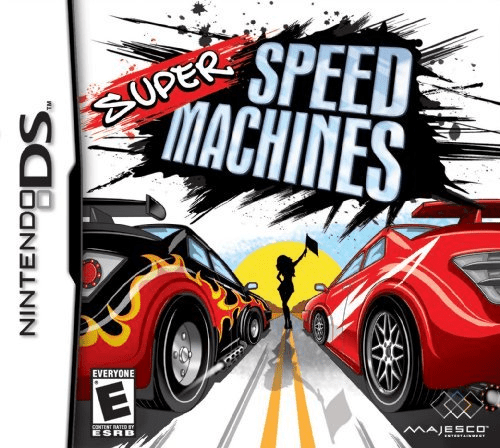
Super Speed Machines
Play Super Speed Machines online. Race from an overhead view, scout shortcuts and place hazards on the touch-screen map. Learn how to begin and use the Nintendo DS menus.
Browser play
Nintendo DS (NDS) — EmulatorJS controls
Default Player 1 keyboard mapping. Change keys in Controller Settings.
| Console button | Keyboard |
|---|---|
| ↑ / ↓ / ← / → | ↑ / ↓ / ← / → |
| A / B / X / Y | Z / X / A / S |
| L / R | Q / E |
| START / SELECT | Enter / V |
| Microphone | Not assigned |
Open Controller Settings to configure your keyboard or gamepad. Touch controls are available on mobile.
How to Play Super Speed Machines
Quick start
Start with an available vehicle and the first course. Study the map and place a hazard before racing. Learn the corners at a controlled pace, then use familiar shortcuts and boosts on later laps.
Controls
Use the directional controls to steer and the displayed acceleration and braking commands to manage speed. Before the start, use the stylus on the lower-screen map to place hazards. Watch that map for the next bend while driving on the upper screen.
Super Speed Machines — About this game
Super Speed Machines puts fast miniature-style racing on the upper screen and the course map on the lower screen. Before a race, place hazards on the map to disrupt rivals, then look for shortcuts and track boosts once the lights change. Six vehicle types and courses across eight environments give you different corners and obstacles to learn. Winning unlocks further tracks and paint schemes, while time attack shifts the focus to cleaner laps. Choose a line early: a short detour can cost less time than sliding into a hazard.
Super Speed Machines Game manuals
Cheats
No cheats have been added for this edition.
Player verification and sources
Browser play was reviewed before this edition was published in the catalogue. The date below is the catalogue publication date, not the game’s original release date.
- Browser test and catalogue publication date
- Browsers and devices
- PC: Chrome, Edge and Firefox. Mobile: Chrome on Android and Safari on iPhone and iPad.
- Player engine and core
- EmulatorJS 4.3.0-pre · nds
- Tested by
- rwEmulator
Sources and editorial basis
rwEmulator reviews edition metadata, release information, game manuals and first-hand browser-play notes. Available manuals are linked below; the editorial policy explains how facts are checked and corrections are handled.