More browsing paths
Play Swing (Proto · Europe edition · English / French / German / Spanish / Italian) Online
Swing
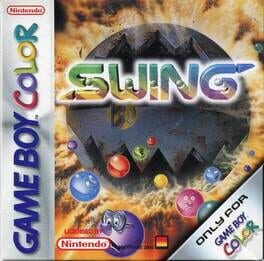
Play Swing online on GBC. Swing turns color matching into a balancing problem. Prototype build.
Browser play
Game Boy Color (GBC) — EmulatorJS controls
Default Player 1 keyboard mapping. Change keys in Controller Settings.
| Console button | Keyboard |
|---|---|
| ↑ / ↓ / ← / → | ↑ / ↓ / ← / → |
| A / B | Z / X |
| START / SELECT | Enter / V |
Open Controller Settings to configure your keyboard or gamepad. Touch controls are available on mobile.
How to Play Swing
Quick start
Begin a game and inspect the first ball’s color and weight. Select a useful column, place it and watch the scale response. Aim for a straightforward matching row before attempting a complicated rearrangement.
Controls
D-pad selects a column or menu option. A confirms or places the selected ball; B cancels where available. Follow the current game screen for alternate selection commands and START for the available menu.
Swing — About this game
Compare the load on both sides before committing. A perfect color placement can still disturb the scale and move a ball you wanted to keep. Start by making a simple row while keeping the neighboring stacks stable, then watch where a launched ball lands. Learning the relationship between weight and position gives more control than dropping purely by color.
This entry is a prototype build of the game.
Cheats
No cheats have been added for this edition.
Player verification and sources
Browser play was reviewed before this edition was published in the catalogue. The date below is the catalogue publication date, not the game’s original release date.
- Browser test and catalogue publication date
- Browsers and devices
- PC: Chrome, Edge and Firefox. Mobile: Chrome on Android and Safari on iPhone and iPad.
- Player engine and core
- EmulatorJS 4.3.0-pre · gb
- Tested by
- rwEmulator
Sources and editorial basis
rwEmulator reviews edition metadata, release information, game manuals and first-hand browser-play notes. Available manuals are linked below; the editorial policy explains how facts are checked and corrections are handled.