More browsing paths
Play Tabaluga (GB Compatible · Germany edition · German) Online
Tabaluga
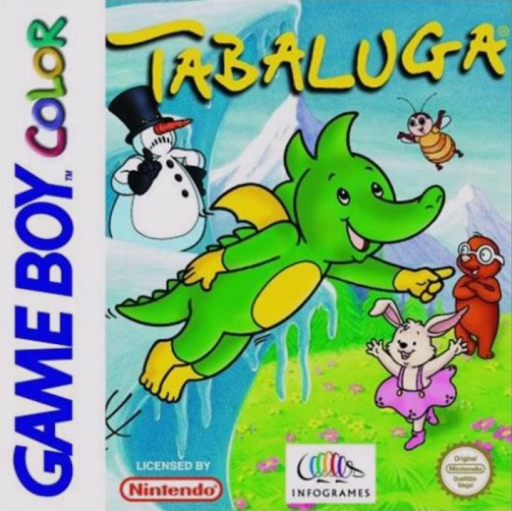
Play Tabaluga online on GBC. Explore with the little dragon Tabaluga, watching the surroundings and working out how to pass obstacles. This handheld adventure rewards checking a place carefully and testing a useful action rather than assuming every blocked route needs a fight.
Browser play
Game Boy Color (GBC) — EmulatorJS controls
Default Player 1 keyboard mapping. Change keys in Controller Settings.
| Console button | Keyboard |
|---|---|
| ↑ / ↓ / ← / → | ↑ / ↓ / ← / → |
| A / B | Z / X |
| START / SELECT | Enter / V |
Open Controller Settings to configure your keyboard or gamepad. Touch controls are available on mobile.
How to Play Tabaluga
Quick start
Start a new game, read the opening instructions and explore the first small area. Try the available action near an obvious object and check what changed before heading farther away.
Controls
The D-pad moves and selects. A confirms or performs the selected interaction; B cancels or returns where available. Use the screen prompts for object actions and menu commands, checking the result before repeating.
Tabaluga — About this game
Tabaluga for Game Boy Color. Remember where a path branches and inspect nearby objects when you cannot continue. Try one interaction at a time and return to a known route if necessary. A small observation can reveal the next step more clearly than wandering at speed.
Cheats
No cheats have been added for this edition.
Player verification and sources
Browser play was reviewed before this edition was published in the catalogue. The date below is the catalogue publication date, not the game’s original release date.
- Browser test and catalogue publication date
- Browsers and devices
- PC: Chrome, Edge and Firefox. Mobile: Chrome on Android and Safari on iPhone and iPad.
- Player engine and core
- EmulatorJS 4.3.0-pre · gb
- Tested by
- rwEmulator
Sources and editorial basis
rwEmulator reviews edition metadata, release information, game manuals and first-hand browser-play notes. Available manuals are linked below; the editorial policy explains how facts are checked and corrections are handled.