More browsing paths
Play Taiko no Tatsujin DS - Touch de Dokodon! (Japan edition · Revision 1 · Japanese) Online
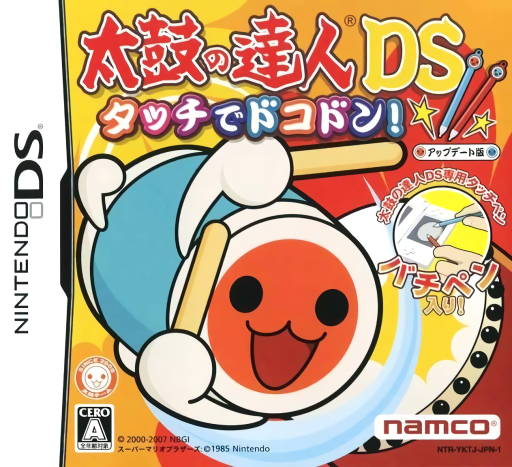
Taiko no Tatsujin DS - Touch de Dokodon!
Play Taiko no Tatsujin DS - Touch de Dokodon! online. Tap a virtual taiko drum to the song’s moving notes, learning separate Don and Ka inputs rather than pressing one area for every beat.
Browser play
Nintendo DS (NDS) — EmulatorJS controls
Default Player 1 keyboard mapping. Change keys in Controller Settings.
| Console button | Keyboard |
|---|---|
| ↑ / ↓ / ← / → | ↑ / ↓ / ← / → |
| A / B / X / Y | Z / X / A / S |
| L / R | Q / E |
| START / SELECT | Enter / V |
| Microphone | Not assigned |
Open Controller Settings to configure your keyboard or gamepad. Touch controls are available on mobile.
How to Play Taiko no Tatsujin DS - Touch de Dokodon!
Quick start
Visit Beginner Dojo, choose an easy song and watch notes reach the timing marker. Practise Don and Ka separately, then read the denden demonstration. Check letters or costumes after playing and try the daily challenge.
Controls
Red notes use the drum face, blue notes the area outside its rim. For denden alternate face and outside for the shown number. Use the displayed button assignment if choosing button play; follow note timing rather than tapping as fast as possible.
Taiko no Tatsujin DS - Touch de Dokodon! — About this game
Tap a virtual taiko drum to the song’s moving notes, learning separate Don and Ka inputs rather than pressing one area for every beat. Beginner Dojo introduces the rhythm rules before you try a familiar tune, while daily challenges, letters and Don’s Room costumes provide reasons to return. Some songs add their own themed presentation. Begin with the dojo, follow the timing marker and practise a short red-and-blue pattern. Special denden notes ask you to alternate the two sounds for the displayed count, adding another rhythm within the performance.
Taiko no Tatsujin DS - Touch de Dokodon! Game manuals
Cheats
No cheats have been added for this edition.
Player verification and sources
Browser play was reviewed before this edition was published in the catalogue. The date below is the catalogue publication date, not the game’s original release date.
- Browser test and catalogue publication date
- Browsers and devices
- PC: Chrome, Edge and Firefox. Mobile: Chrome on Android and Safari on iPhone and iPad.
- Player engine and core
- EmulatorJS 4.3.0-pre · nds
- Tested by
- rwEmulator
Sources and editorial basis
rwEmulator reviews edition metadata, release information, game manuals and first-hand browser-play notes. Available manuals are linked below; the editorial policy explains how facts are checked and corrections are handled.