More browsing paths
Play Tak: Mojo Mistake (US edition · English) Online
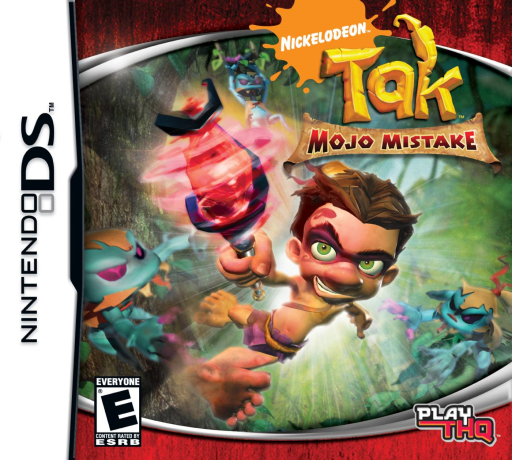
Tak - Mojo Mistake
Play Tak: Mojo Mistake online. Take village quests, cross 2D platforms and collect ingredients to turn Tak's magical mistake into new weapons and useful spells.
Browser play
Nintendo DS (NDS) — EmulatorJS controls
Default Player 1 keyboard mapping. Change keys in Controller Settings.
| Console button | Keyboard |
|---|---|
| ↑ / ↓ / ← / → | ↑ / ↓ / ← / → |
| A / B / X / Y | Z / X / A / S |
| L / R | Q / E |
| START / SELECT | Enter / V |
| Microphone | Not assigned |
Open Controller Settings to configure your keyboard or gamepad. Touch controls are available on mobile.
How to Play Tak: Mojo Mistake
Quick start
Start a new game and follow the village introduction. Speak to a friendly quest giver, choose an available task and read its goal before leaving the hub. Use the D-pad to explore, practise the jump and double jump, and try the staff attack on the first enemies. Gather materials along the route. Inspect lower platforms with the touch-screen view before dropping, then return to the alchemy facilities as the game introduces them.
Controls
DS: D-pad moves Tak; face-button actions handle jumping and staff attacks. Repeat the jump action in the air for a double jump. Move the touch-screen view to inspect above, below or beside Tak. Use the lower-screen alchemy choices to combine collected materials into upgrades and magic; confirm the recipe rather than drawing a mixing gesture.
Tak: Mojo Mistake — About this game
Tak: Mojo Mistake begins with Tak creating magical helpers to ease his village duties, only for the plan to go wrong. The DS adventure uses side-scrolling routes reached through village quests rather than a simple chain of new levels. Tak jumps, double-jumps and swings his staff, then develops magic and equipment through collected ingredients. Feathers and materials reward exploration, while the home alchemy facilities let you combine items and prepare useful upgrades. The touch screen also shifts the view so you can inspect platforms above or below before committing to a jump. Returning to familiar areas with a new quest gives each trip a different objective.
Tak: Mojo Mistake Game manuals
Cheats
No cheats have been added for this edition.
Player verification and sources
Browser play was reviewed before this edition was published in the catalogue. The date below is the catalogue publication date, not the game’s original release date.
- Browser test and catalogue publication date
- Browsers and devices
- PC: Chrome, Edge and Firefox. Mobile: Chrome on Android and Safari on iPhone and iPad.
- Player engine and core
- EmulatorJS 4.3.0-pre · nds
- Tested by
- rwEmulator
Sources and editorial basis
rwEmulator reviews edition metadata, release information, game manuals and first-hand browser-play notes. Available manuals are linked below; the editorial policy explains how facts are checked and corrections are handled.