More browsing paths
Play Tak: The Great Juju Challenge (US edition · English) Online
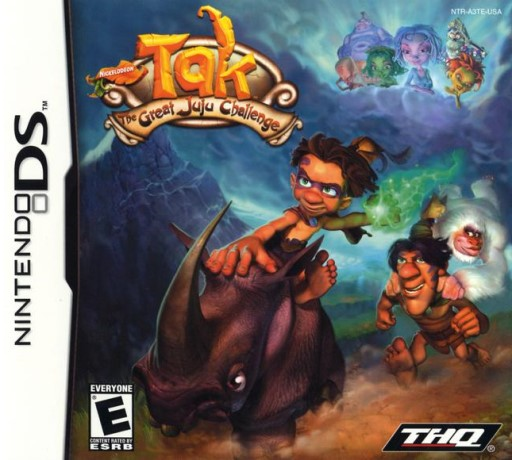
Tak - The Great Juju Challenge
Play Tak: The Great Juju Challenge online. Switch between Tak and Lok through three-dimensional platform stages, using different abilities to get past obstacles.
Browser play
Nintendo DS (NDS) — EmulatorJS controls
Default Player 1 keyboard mapping. Change keys in Controller Settings.
| Console button | Keyboard |
|---|---|
| ↑ / ↓ / ← / → | ↑ / ↓ / ← / → |
| A / B / X / Y | Z / X / A / S |
| L / R | Q / E |
| START / SELECT | Enter / V |
| Microphone | Not assigned |
Open Controller Settings to configure your keyboard or gamepad. Touch controls are available on mobile.
How to Play Tak: The Great Juju Challenge
Quick start
Start the quest and learn movement and jumping. Switch characters when the route calls for floating, climbing or a different attack. Read each animal or race activity’s demonstration before acting, then revisit minigames for points.
Controls
Use the D-pad to move and the displayed action buttons for jumping, attacks and interaction. Select Tak or Lok through the character-switch control. Minigames use their own stylus or microphone instructions, so check the prompt when leaving the platform stage.
Tak: The Great Juju Challenge — About this game
Switch between Tak and Lok through three-dimensional platform stages, using different abilities to get past obstacles. Tak’s brief float and ranged attacks contrast with Lok’s climbing and stronger close attacks, so look at the route before choosing who leads. Animal tasks, kart races and touch-driven minigames change the pace between platform sections. Begin with the first stage, learn a safe jump and test the other character at an obstacle. Replaying activities can earn progress toward Shaman Games, whose matching puzzles bring further rewards for the main adventure.
Tak: The Great Juju Challenge Game manuals
Cheats
No cheats have been added for this edition.
Player verification and sources
Browser play was reviewed before this edition was published in the catalogue. The date below is the catalogue publication date, not the game’s original release date.
- Browser test and catalogue publication date
- Browsers and devices
- PC: Chrome, Edge and Firefox. Mobile: Chrome on Android and Safari on iPhone and iPad.
- Player engine and core
- EmulatorJS 4.3.0-pre · nds
- Tested by
- rwEmulator
Sources and editorial basis
rwEmulator reviews edition metadata, release information, game manuals and first-hand browser-play notes. Available manuals are linked below; the editorial policy explains how facts are checked and corrections are handled.