More browsing paths
Play Takeout! DS Series 1 - Tetsudou Data File (Japan edition · Japanese) Online
Takeout! DS Series 1 - Tetsudou Data File
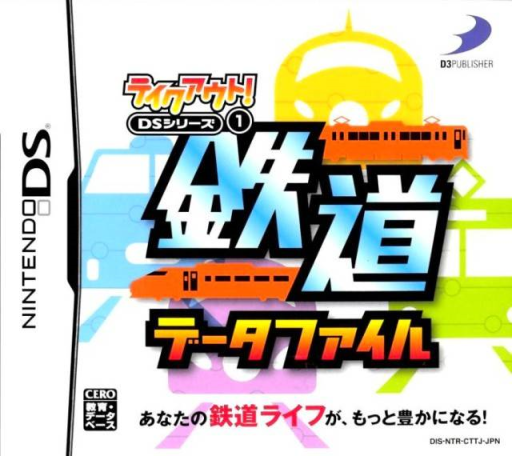
Play Takeout! DS Series 1 - Tetsudou Data File online. Explore a railway reference collection and switch to six rail-themed minigames, including quiz and writing activities.
Browser play
Nintendo DS (NDS) — EmulatorJS controls
Default Player 1 keyboard mapping. Change keys in Controller Settings.
| Console button | Keyboard |
|---|---|
| ↑ / ↓ / ← / → | ↑ / ↓ / ← / → |
| A / B / X / Y | Z / X / A / S |
| L / R | Q / E |
| START / SELECT | Enter / V |
| Microphone | Not assigned |
Open Controller Settings to configure your keyboard or gamepad. Touch controls are available on mobile.
How to Play Takeout! DS Series 1 - Tetsudou Data File
Quick start
Open the minigames and choose an activity. Read its instructions, answer and check the response. Use article or vehicle search when you want more context, then return to another activity.
Controls
Use touch menus to select games and reference entries. Follow each quiz’s answer choices or writing field and check the entry before confirming. Map browsing uses its displayed search and navigation controls.
Takeout! DS Series 1 - Tetsudou Data File — About this game
Explore a railway reference collection and switch to six rail-themed minigames, including quiz and writing activities. Reading articles, looking up a vehicle photograph and answering a challenge are separate parts of the software. Begin with the minigame menu, read the selected activity’s rule and try one answer before returning to the reference to investigate the topic. The route map and station information provide browsing material alongside play. Look carefully at the name or image in a question; recognizing a familiar train is only the first step toward giving the requested response.
Takeout! DS Series 1 - Tetsudou Data File Game manuals
Cheats
No cheats have been added for this edition.
Player verification and sources
Browser play was reviewed before this edition was published in the catalogue. The date below is the catalogue publication date, not the game’s original release date.
- Browser test and catalogue publication date
- Browsers and devices
- PC: Chrome, Edge and Firefox. Mobile: Chrome on Android and Safari on iPhone and iPad.
- Player engine and core
- EmulatorJS 4.3.0-pre · nds
- Tested by
- rwEmulator
Sources and editorial basis
rwEmulator reviews edition metadata, release information, game manuals and first-hand browser-play notes. Available manuals are linked below; the editorial policy explains how facts are checked and corrections are handled.