More browsing paths
Play Tamagotchi Collection (Japan edition) Online
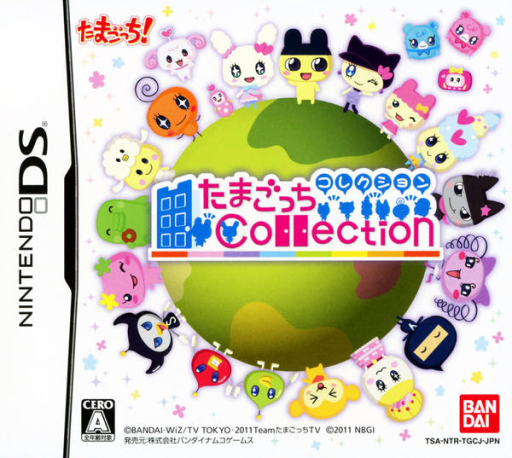
Tamagotchi Collection
Play Tamagotchi Collection online. Visit a Tamagotchi’s room, talk, give presents and play minigames to build an in-game friendship.
Browser play
Nintendo DS (NDS) — EmulatorJS controls
Default Player 1 keyboard mapping. Change keys in Controller Settings.
| Console button | Keyboard |
|---|---|
| ↑ / ↓ / ← / → | ↑ / ↓ / ← / → |
| A / B / X / Y | Z / X / A / S |
| L / R | Q / E |
| START / SELECT | Enter / V |
| Microphone | Not assigned |
Open Controller Settings to configure your keyboard or gamepad. Touch controls are available on mobile.
How to Play Tamagotchi Collection
Quick start
Visit the first room, talk and try a minigame or gift, then check the next visit.
Controls
Use touch menus for rooms, conversation choices, gifts and costume parts. Each minigame follows its own tapping or dragging prompt.
Tamagotchi Collection — About this game
Visit a Tamagotchi’s room, talk, give presents and play minigames to build an in-game friendship. You begin with one acquaintance; as your circle grows, another character may be introduced the next day. Meeting different characters also brings parts for making an original Tamagotchi costume. Start with the first room and a short conversation, then choose an available activity or present and watch the reaction. Return for another visit and check new introductions before redesigning your costume. The friendship collection gives these small encounters a continuing goal beyond one minigame.
Tamagotchi Collection Game manuals
Cheats
No cheats have been added for this edition.
Player verification and sources
Browser play was reviewed before this edition was published in the catalogue. The date below is the catalogue publication date, not the game’s original release date.
- Browser test and catalogue publication date
- Browsers and devices
- PC: Chrome, Edge and Firefox. Mobile: Chrome on Android and Safari on iPhone and iPad.
- Player engine and core
- EmulatorJS 4.3.0-pre · nds
- Tested by
- rwEmulator
Sources and editorial basis
rwEmulator reviews edition metadata, release information, game manuals and first-hand browser-play notes. Available manuals are linked below; the editorial policy explains how facts are checked and corrections are handled.