More browsing paths
Play Tamura Mitsuaki no Mahjong Seminar (Japan edition · Japanese) Online
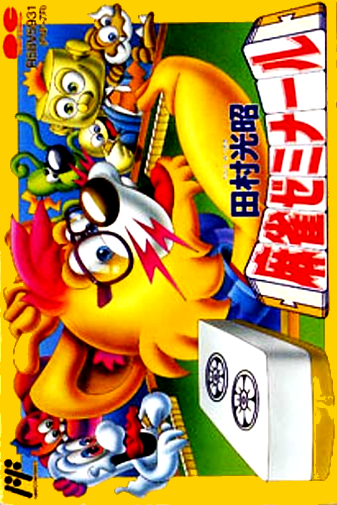
Tamura Koushou Mahjong Seminar
Play Mitsuaki Tamura Mahjong Seminar online. Learn by watching the pros' batting methods and explanations, and test your judgment in four-person games and 10 questions about how many shots to make.
Browser play
Nintendo Entertainment System (NES) / Famicom — EmulatorJS controls
Default Player 1 keyboard mapping. Change keys in Controller Settings.
| Console button | Keyboard |
|---|---|
| ↑ / ↓ / ← / → | ↑ / ↓ / ← / → |
| A / B | Z / X |
| START / SELECT | Enter / V |
Open Controller Settings to configure your keyboard or gamepad. Touch controls are available on mobile.
How to Play Tamura Mitsuaki no Mahjong Seminar
Quick start
Press START on the title and go to the data screen. If it's your first time, select "Create data" using the top and bottom buttons and press A. Enter a name of up to four characters using the direction and A, then press A to decide "end", and press A to confirm. First, select ``Watch Tamura's batting style'' with A, then select the Hansho where you would like to watch the game. If PUSH A appears on the screen, press A to proceed, read the commentary after each game, and then try the game.
Controls
During the game, move the tile cursor to the left and right, and press A to decide which tile to discard. Use the upper and lower buttons to check the dora tiles and select items such as discard tiles, reach, punch, chi, win, and sumagari, and press A to execute. When you see the display of tiles that can be played, leave it as "Pass" and press A. B is for checking the position, points, etc., and is not a cancel button. You can select BGM by pressing SELECT during your turn, and decide with direction and A. START advances from the title to the data screen.
Tamura Mitsuaki no Mahjong Seminar — About this game
``Mitsuaki Tamura Mahjong Seminar'' is a Famicom mahjong game that combines a mode where you learn how to play like a professional, and practical practice where you make your own decisions. In ``See how Mr. Tamura plays,'' you can follow past battles and read commentary after each game. It is also possible to bat in place of Pro Tamura while watching the game. In ``Play with Mr. Tamura,'' he plays a half-sho against three people, including professional Tamura, and in ``10 Problems,'' he thinks about which tile to cut from the dealt tiles. There are also ``other-style matches'' where you compete against opponents from various fields, and you can hone your judgment by going back and forth between observations, problems, and actual battles. Although it is a four-player table, it is not a software that can be played with four people, but is designed to be learned and challenged by one person.
Cheats
No cheats have been added for this edition.
Player verification and sources
Browser play was reviewed before this edition was published in the catalogue. The date below is the catalogue publication date, not the game’s original release date.
- Browser test and catalogue publication date
- Browsers and devices
- PC: Chrome, Edge and Firefox. Mobile: Chrome on Android and Safari on iPhone and iPad.
- Player engine and core
- EmulatorJS 4.3.0-pre · nes
- Tested by
- rwEmulator
Sources and editorial basis
rwEmulator reviews edition metadata, release information, game manuals and first-hand browser-play notes. Available manuals are linked below; the editorial policy explains how facts are checked and corrections are handled.