More browsing paths
Play Tank Beat (US edition) Online
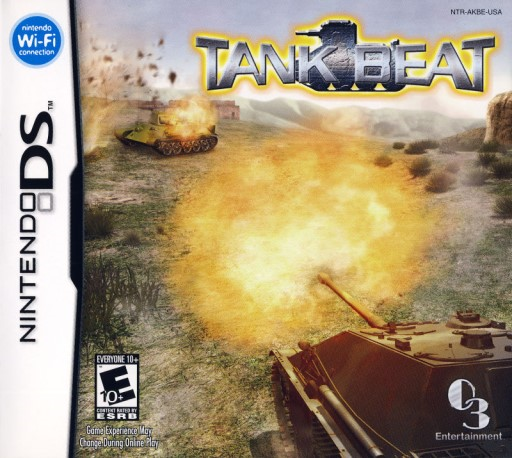
Tank Beat
Play Tank Beat online. Command a tank by drawing its route on the lower radar, then watch the upper screen to judge terrain and firing lines.
Browser play
Nintendo DS (NDS) — EmulatorJS controls
Default Player 1 keyboard mapping. Change keys in Controller Settings.
| Console button | Keyboard |
|---|---|
| ↑ / ↓ / ← / → | ↑ / ↓ / ← / → |
| A / B / X / Y | Z / X / A / S |
| L / R | Q / E |
| START / SELECT | Enter / V |
| Microphone | Not assigned |
Open Controller Settings to configure your keyboard or gamepad. Touch controls are available on mobile.
How to Play Tank Beat
Quick start
Start a mission, draw a short path and test L plus a target tap. Check range and allies before extending the route.
Controls
Draw a route with the stylus on the radar. Hold L and touch a point within weapon range to fire; use the ally command menu for follow, defend or route orders.
Tank Beat — About this game
Command a tank by drawing its route on the lower radar, then watch the upper screen to judge terrain and firing lines. Holding L changes touch input into an attack: tap an area within the selected weapon’s reach to fire. Movement and aim therefore need separate attention. Begin with a short route, stop somewhere with a clear view and practise a shot before drawing a longer path. As allies join, use their follow, defend or route orders to support the objective. Check whether your current tank can fire while moving; if it needs to stop, prepare a new route after the shot.
Tank Beat Game manuals
Cheats
No cheats have been added for this edition.
Player verification and sources
Browser play was reviewed before this edition was published in the catalogue. The date below is the catalogue publication date, not the game’s original release date.
- Browser test and catalogue publication date
- Browsers and devices
- PC: Chrome, Edge and Firefox. Mobile: Chrome on Android and Safari on iPhone and iPad.
- Player engine and core
- EmulatorJS 4.3.0-pre · nds
- Tested by
- rwEmulator
Sources and editorial basis
rwEmulator reviews edition metadata, release information, game manuals and first-hand browser-play notes. Available manuals are linked below; the editorial policy explains how facts are checked and corrections are handled.