More browsing paths
Play Tetris 2 + Bombliss (Japan edition · Japanese) Online
Tetris 2 + Bombliss
Play the Famicom version of Tetris 2 + Bombliss online. Let's play with normal destruction and block destruction with bombs. Introducing name registration, rotation operations, and the basics of Contest.
Browser play
Nintendo Entertainment System (NES) / Famicom — EmulatorJS controls
Default Player 1 keyboard mapping. Change keys in Controller Settings.
| Console button | Keyboard |
|---|---|
| ↑ / ↓ / ← / → | ↑ / ↓ / ← / → |
| A / B | Z / X |
| START / SELECT | Enter / V |
Open Controller Settings to configure your keyboard or gamepad. Touch controls are available on mobile.
How to Play Tetris 2 + Bombliss
Quick start
Select 1 PLAYER in the title and confirm with A or START. For the first time, please register a name of up to 3 characters from Register Your Name, and then select END to confirm. After selecting a player, select the Tetris type or Bombliss Contest on the game selection screen, and proceed with A or START. Tetris practice starts at a low level. Align with left and right, rotate with A・B, and drop quickly below. Remember to form a line with no gaps in Tetris, and a line that includes the bombs in Bombliss.
Controls
Common to both games: move falling pieces horizontally on the left and right, and fall faster on the bottom. A rotates clockwise, B rotates counterclockwise. In the menu, use the arrow keys or SELECT to select an item, press A or START to confirm, and press B to go back. START during play can be paused/resumed. SELECT turns ON/OFF the display of the next piece, and when paused, selects the BGM.
Tetris 2 + Bombliss — About this game
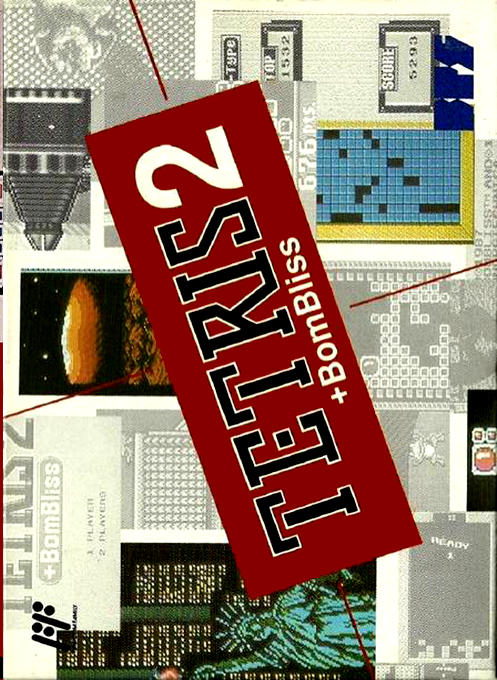
"Tetris 2 + Bombliss" is a puzzle game for the Famicom by BPS. On the Tetris side, if you rotate the falling pieces by moving them left and right, filling a horizontal row without any gaps, that row will disappear and the blocks above will fall. On the other hand, Bombliss will not disappear even if you form a line in the same way unless there is a bomb there. It requires a different mindset, completing columns containing bombs to blow up surrounding blocks and remove placed obstacles. In Contest, if you clear all the obstacle blocks on each side, you will advance to the next side. It's interesting not only to think about where to place the pieces, but also to think about which bomb to use as a starting point to detonate. Both games share the basic controls of moving left and right, rotating in two directions, and falling quickly downwards. You can register your player name first, and you can play by switching between normal erasure and explosion puzzles.
Cheats
No cheats have been added for this edition.
Player verification and sources
Browser play was reviewed before this edition was published in the catalogue. The date below is the catalogue publication date, not the game’s original release date.
- Browser test and catalogue publication date
- Browsers and devices
- PC: Chrome, Edge and Firefox. Mobile: Chrome on Android and Safari on iPhone and iPad.
- Player engine and core
- EmulatorJS 4.3.0-pre · nes
- Tested by
- rwEmulator
Sources and editorial basis
rwEmulator reviews edition metadata, release information, game manuals and first-hand browser-play notes. Available manuals are linked below; the editorial policy explains how facts are checked and corrections are handled.