More browsing paths
Play That's So Raven 2: Supernatural Style (US edition · English / French) Online
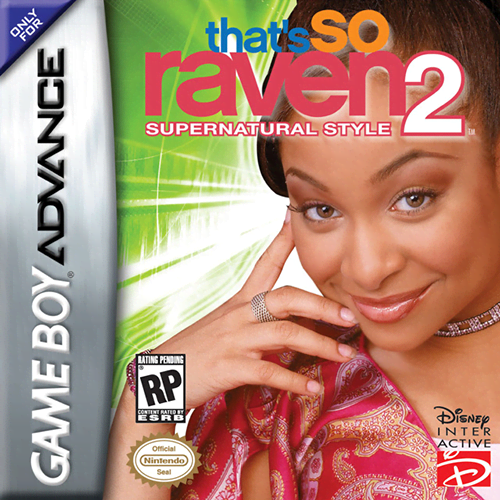
That's So Raven 2: Supernatural Style
Play That's So Raven 2: Supernatural Style online for GBA, a side-scrolling platform adventure where Raven collects four-piece psychic visions, uses timed disguises, stuns enemies with pies and gathers fashion items.
Browser play
Game Boy Advance (GBA) — EmulatorJS controls
Default Player 1 keyboard mapping. Change keys in Controller Settings.
| Console button | Keyboard |
|---|---|
| ↑ / ↓ / ← / → | ↑ / ↓ / ← / → |
| A / B | Z / X |
| L / R | Q / E |
| START / SELECT | Enter / V |
Open Controller Settings to configure your keyboard or gamepad. Touch controls are available on mobile.
How to Play That's So Raven 2: Supernatural Style
Quick start
Press Start at the title screen to open the Notebook, choose one of the three save slots, and select New on an empty slot. From the Main Menu choose Play, then select the opening level with the Control Pad and A. Your first objective is to collect all four Vision pieces so Raven can see the complete vision and advance to the next level; press Select whenever you need to review the current objective and collectible totals. Explore the school carefully, use B on items and doors, and throw collected pies with R to stun enemies. L activates Raven's current costume, but its meter drains while the disguise is active, so save it for guarded or ability-specific passages and collect Hour Glasses to recharge it. Running and rolling also consume energy, so pause briefly when the energy meter overheats.
Controls
Menus: Control Pad highlights options, A selects, and B returns to the previous screen. During play, use the Control Pad to move; double-tap and hold a direction to run, press Down to kneel, and tap Down twice to drop through some platforms. A jumps; run and press A for a long jump; Down+A rolls. B collects or uses an item and opens a door. R throws a collected pie to stun an enemy. L uses the current costume. Select opens the Summary Screen to review the objective and collected or missing items. Start pauses; the Pause Menu includes Fashion Portfolio, View Vision, Quick Save, Options, and Quit Game. If a guard grabs Raven, tap Left and Right quickly to break free. In the Fashion Portfolio, Up/Down changes the clothing category, Left/Right changes the item, and L/R cycles unlocked colour tints.
That's So Raven 2: Supernatural Style Game manuals
Cheats
No cheats have been added for this edition.
Player verification and sources
Browser play was reviewed before this edition was published in the catalogue. The date below is the catalogue publication date, not the game’s original release date.
- Browser test and catalogue publication date
- Browsers and devices
- PC: Chrome, Edge and Firefox. Mobile: Chrome on Android and Safari on iPhone and iPad.
- Player engine and core
- EmulatorJS 4.3.0-pre · gba
- Tested by
- rwEmulator
Sources and editorial basis
rwEmulator reviews edition metadata, release information, game manuals and first-hand browser-play notes. Available manuals are linked below; the editorial policy explains how facts are checked and corrections are handled.