More browsing paths
Play The Lone Ranger (US edition · English) Online
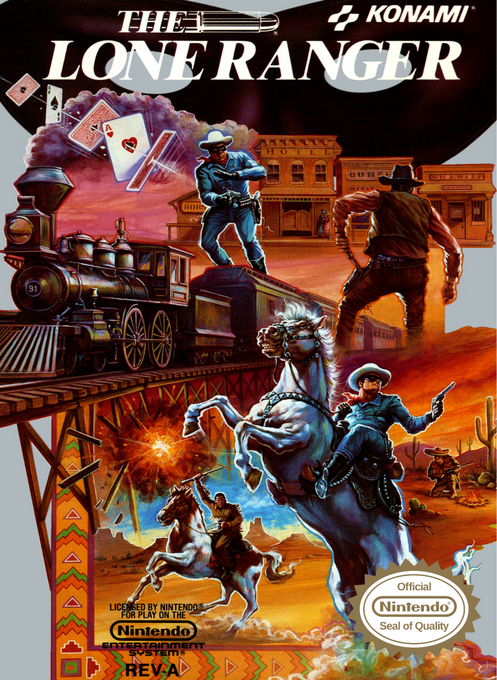
The Lone Ranger
Play The Lone Ranger online. Follow Tonto's clues, explore frontier towns and master overhead, side-view and first-person gunfights.
Browser play
Nintendo Entertainment System (NES) / Famicom — EmulatorJS controls
Default Player 1 keyboard mapping. Change keys in Controller Settings.
| Console button | Keyboard |
|---|---|
| ↑ / ↓ / ← / → | ↑ / ↓ / ← / → |
| A / B | Z / X |
| START / SELECT | Enter / V |
Open Controller Settings to configure your keyboard or gamepad. Touch controls are available on mobile.
How to Play The Lone Ranger
Quick start
Choose Start with SELECT and confirm with START. On the light-gun question, choose not to use a Zapper or LaserScope for controller-only play, then confirm with A. Listen to Tonto and enter Tucson to the left. Talk with A, check the gun shop and question the townspeople about Silver. Use B to attack and SELECT to choose a weapon; visit a doctor when health is low.
Controls
START pauses; SELECT changes weapons. Overhead map: directions move, A recalls dialogue and B cancels it. In towns, directions move and aim, A talks or picks up thrown dynamite, and B attacks. Side view: Left/Right moves, A jumps, Down+A descends, and B fires. First-person controller play: directions move or aim, B fires, and direction+A turns toward an attacker. With a Zapper or LaserScope, aim using the peripheral; controller A/B are inactive in that mode. Shops use Up/Down, A confirms and B cancels. Original peripheral operation is not an emulator input mapping.
The Lone Ranger — About this game
The Lone Ranger mixes investigation with gunfights across eight western regions. Tonto's reports and conversations in town reveal the next objective, while the action switches between overhead streets, side-view platforming and first-person passages. Money pays for ammunition and medical treatment, making exploration and supplies important alongside shooting. Standard bullets, piercing silver bullets and dynamite offer different ways to handle danger. Progress depends on resolving each region's events rather than simply walking to the next screen, and Tonto provides passwords for completed areas.
Cheats
No cheats have been added for this edition.
Player verification and sources
Browser play was reviewed before this edition was published in the catalogue. The date below is the catalogue publication date, not the game’s original release date.
- Browser test and catalogue publication date
- Browsers and devices
- PC: Chrome, Edge and Firefox. Mobile: Chrome on Android and Safari on iPhone and iPad.
- Player engine and core
- EmulatorJS 4.3.0-pre · nes
- Tested by
- rwEmulator
Sources and editorial basis
rwEmulator reviews edition metadata, release information, game manuals and first-hand browser-play notes. Available manuals are linked below; the editorial policy explains how facts are checked and corrections are handled.