More browsing paths
Play The Miracle Piano Teaching System (Germany edition · German) Online
Miracle Piano Teaching System, The
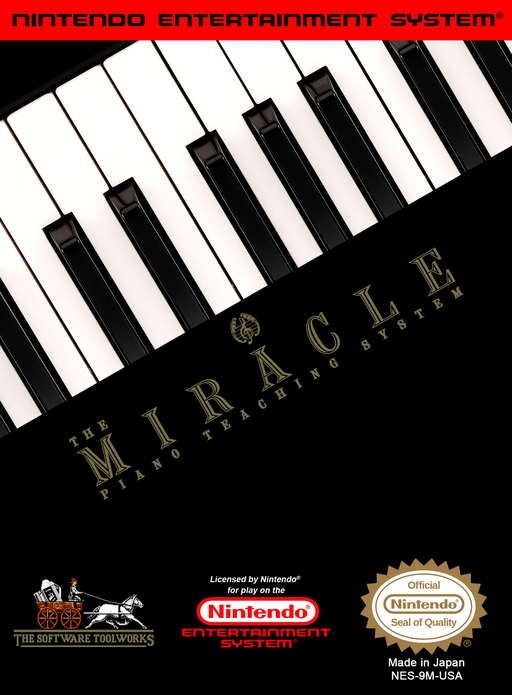
Explore The Miracle Piano Teaching System online for NES. Learn its lesson menus, note and rhythm activities, and controller commands. Piano exercises require Miracle keyboard input.
Browser play
Nintendo Entertainment System (NES) / Famicom — EmulatorJS controls
Default Player 1 keyboard mapping. Change keys in Controller Settings.
| Console button | Keyboard |
|---|---|
| ↑ / ↓ / ← / → | ↑ / ↓ / ← / → |
| A / B | Z / X |
| START / SELECT | Enter / V |
Open Controller Settings to configure your keyboard or gamepad. Touch controls are available on mobile.
How to Play The Miracle Piano Teaching System
Quick start
The original NES setup uses the proper Miracle cable from the piano’s Miracle Port to console port 1, with the NES controller in port 2. Use the keyboard’s own power supply and switch it on. In the software, press SELECT past the title screens. At Welcome, A selects adult text and B child text; use up/down for the chapter and START to begin. Read the lesson board, then press A for its exercise. Play the indicated notes on the piano, not the gamepad. SELECT returns from most exercises to the lesson board; note the Section number before finishing so you can return to that chapter.
Controls
Miracle piano keys: play the notes requested by the exercise. NES controller: at Welcome, A/B choose adult/child text, up/down choose the chapter, START begins. On a lesson board, A starts the activity, B goes to the previous lesson and SELECT opens options. In options, up/down select and A confirms. During activities other than Flashcards, B restarts, START pauses/resumes and SELECT returns to the lesson board. Flashcards use up/down to choose an answer and A to confirm. SELECT also exits the title demonstration.
The Miracle Piano Teaching System — About this game
The Miracle Piano Teaching System is educational NES software built around the dedicated Miracle piano keyboard, not a conventional action game. Its lessons introduce finger placement, note names, reading music and rhythm through explanations, practical exercises and activities such as Shooting Gallery and Roboman. In note practice, the program waits for the correct piano key before advancing, while other exercises concentrate on keeping time. The Practice Room lets you revisit pieces or hear a demonstration, and multiple-choice flashcards test musical knowledge with the NES controller. Adult and child text options present the same subject matter with different wording. The original system uses the keyboard for performance and a separate controller for menus; a normal gamepad does not replace the piano input needed for playing exercises.
Cheats
No cheats have been added for this edition.
Player verification and sources
Browser play was reviewed before this edition was published in the catalogue. The date below is the catalogue publication date, not the game’s original release date.
- Browser test and catalogue publication date
- Browsers and devices
- PC: Chrome, Edge and Firefox. Mobile: Chrome on Android and Safari on iPhone and iPad.
- Player engine and core
- EmulatorJS 4.3.0-pre · nes
- Tested by
- rwEmulator
Sources and editorial basis
rwEmulator reviews edition metadata, release information, game manuals and first-hand browser-play notes. Available manuals are linked below; the editorial policy explains how facts are checked and corrections are handled.