More browsing paths
Play Time Ace (US edition) Online
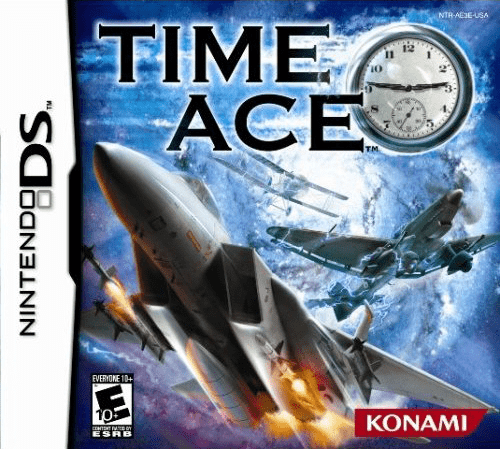
Time Ace
Play Time Ace online. Chase Dr.
Browser play
Nintendo DS (NDS) — EmulatorJS controls
Default Player 1 keyboard mapping. Change keys in Controller Settings.
| Console button | Keyboard |
|---|---|
| ↑ / ↓ / ← / → | ↑ / ↓ / ← / → |
| A / B / X / Y | Z / X / A / S |
| L / R | Q / E |
| START / SELECT | Enter / V |
| Microphone | Not assigned |
Open Controller Settings to configure your keyboard or gamepad. Touch controls are available on mobile.
How to Play Time Ace
Quick start
Begin the first mission, practise steering and normal fire, then learn the roll and special controls.
Controls
D-pad steers, shoulder buttons roll; use the displayed fire and secondary-weapon buttons. Touch the bomb, shield or boost control when needed.
Time Ace — About this game
Chase Dr. Scythe through time as Dr. Clock in an aerial shooter that moves along planned mission routes. Steer within the route, line up enemy aircraft and ground targets, and keep clear of scenery instead of trying to fly anywhere on the map. Start the first mission by learning normal fire and secondary weapons, then use the shoulder controls to roll away from danger. The lower screen offers special bomb, shield and boost controls; choose carefully so a speed burst does not send you towards an obstacle. Between some stages, touch-screen repair activities involve rewiring systems or welding the aircraft before the next journey.
Time Ace Game manuals
Cheats
No cheats have been added for this edition.
Player verification and sources
Browser play was reviewed before this edition was published in the catalogue. The date below is the catalogue publication date, not the game’s original release date.
- Browser test and catalogue publication date
- Browsers and devices
- PC: Chrome, Edge and Firefox. Mobile: Chrome on Android and Safari on iPhone and iPad.
- Player engine and core
- EmulatorJS 4.3.0-pre · nds
- Tested by
- rwEmulator
Sources and editorial basis
rwEmulator reviews edition metadata, release information, game manuals and first-hand browser-play notes. Available manuals are linked below; the editorial policy explains how facts are checked and corrections are handled.