More browsing paths
Play Tiny Toon Adventures: Cartoon Workshop (Europe edition · English) Online
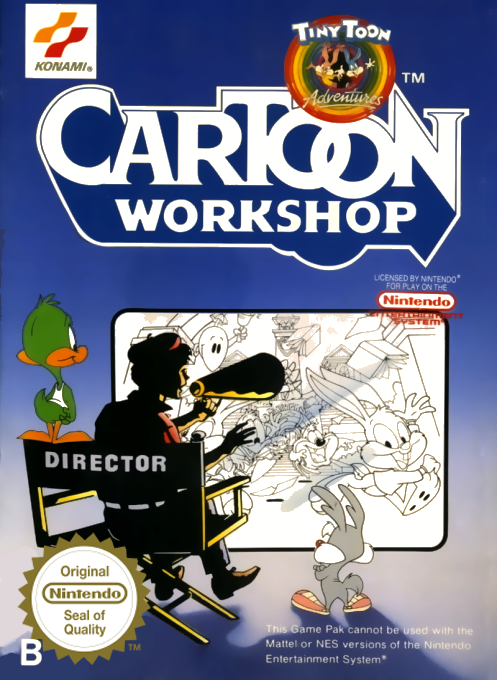
Tiny Toon Adventures: Cartoon Workshop
Use Tiny Toon Adventures Cartoon Workshop online to direct NES cartoons with scenes, animated characters, dialogue, music and sound effects.
Browser play
Nintendo Entertainment System (NES) / Famicom — EmulatorJS controls
Default Player 1 keyboard mapping. Change keys in Controller Settings.
| Console button | Keyboard |
|---|---|
| ↑ / ↓ / ← / → | ↑ / ↓ / ← / → |
| A / B | Z / X |
| START / SELECT | Enter / V |
Open Controller Settings to configure your keyboard or gamepad. Touch controls are available on mobile.
How to Play Tiny Toon Adventures: Cartoon Workshop
Quick start
Press START twice to reach the editor. Move left or right across the six top menus, use Up/Down to browse each list, press A to choose and B to cancel or step back. Start with Scenes because selecting a new background erases the current cartoon. Choose Actor 1, select an animation, place the character with the D-pad, press A, set the movement arrow’s direction and length, then press A again to film it. In Edit Mode, Up advances one frame and Down rewinds; return to an actor menu at the frame where the next action should begin. Add Actor 2, text and sound the same way, then press START to play from the beginning. Record externally before turning the console off if you want to keep the result.
Controls
D-pad Left/Right: move among Actor 1, Scenes, Text, Edit, Sound and Actor 2 menus; Up/Down browses lists. A: select, place an actor or text box, accept movement and film an action. B: cancel or move back one editing step. In Edit Mode, Up advances one frame and Down rewinds one frame; START plays the cartoon from the beginning, or from the current frame when forced playback is selected. On-screen instructions identify context-sensitive D-pad and button actions.
Tiny Toon Adventures: Cartoon Workshop — About this game
Tiny Toon Adventures Cartoon Workshop is a creative animation tool rather than a score-based game. It lets the user build short cartoons starring Buster, Babs, Plucky, Furrball, Calamity Coyote and Little Beeper. A production begins with one of eight illustrated scenes or eleven solid-color backgrounds, then adds up to two actors or props. Each character has looping animation clips whose position, direction and speed can be placed on a frame timeline. Separate menus add preset dialogue, continuous tunes, short melodies and sound effects, while edit mode moves forward or backward one frame at a time. A cartoon may contain as many as 4,096 frames—about eight minutes—but cartridge work is lost when the NES is switched off.
Cheats
No cheats have been added for this edition.
Player verification and sources
Browser play was reviewed before this edition was published in the catalogue. The date below is the catalogue publication date, not the game’s original release date.
- Browser test and catalogue publication date
- Browsers and devices
- PC: Chrome, Edge and Firefox. Mobile: Chrome on Android and Safari on iPhone and iPad.
- Player engine and core
- EmulatorJS 4.3.0-pre · nes
- Tested by
- rwEmulator
Sources and editorial basis
rwEmulator reviews edition metadata, release information, game manuals and first-hand browser-play notes. Available manuals are linked below; the editorial policy explains how facts are checked and corrections are handled.