More browsing paths
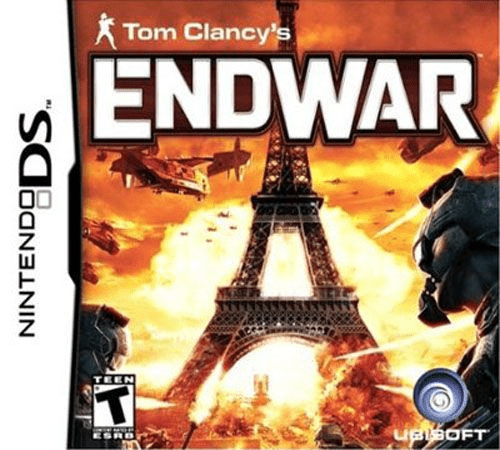
Play Tom Clancy's EndWar (US edition · English / French) Online
Tom Clancy's EndWar
Play Tom Clancy's EndWar online. Plan separate movement and attack phases in DS turn-based battles, with a guide to opening missions and touch commands.
Browser play
Nintendo DS (NDS) — EmulatorJS controls
Default Player 1 keyboard mapping. Change keys in Controller Settings.
| Console button | Keyboard |
|---|---|
| ↑ / ↓ / ← / → | ↑ / ↓ / ← / → |
| A / B / X / Y | Z / X / A / S |
| L / R | Q / E |
| START / SELECT | Enter / V |
| Microphone | Not assigned |
Open Controller Settings to configure your keyboard or gamepad. Touch controls are available on mobile.
How to Play Tom Clancy's EndWar
Quick start
Start the European campaign's introductory missions and follow the unit instructions. Select a friendly unit, check its movement and attack ranges, and use the on-screen tabs for the available phase. Keep nearby units positioned to support one another. Read the phase indicator before confirming: a move does not always lead directly to your attack.
Controls
Tap units and command tabs with the stylus to select orders or inspect unit details. Scroll with the D-pad, or tap towards the direction you want the view to move. Follow the current movement or attack phase and select a valid destination or target. Button controls are also available through the game's prompts; commands do not require spoken orders.
Tom Clancy's EndWar — About this game
The DS campaign puts military units on a tactical map and makes the order of actions part of the puzzle. Movement and attack occur in separate phases, so a useful position must be judged against what the opposing side can do before your next action. Terrain, range and nearby friendly units influence how engagements develop. European, American and Russian campaigns view the conflict from different sides, with early European missions introducing units and controls through play. On the touch screen, tabs open commands and unit information while the D-pad can scroll the map. After the campaign, a map editor provides another way to experiment with forces and terrain. A careful opening is to learn the phase rhythm before committing several units to exposed positions.
Tom Clancy's EndWar Game manuals
Cheats
No cheats have been added for this edition.
Player verification and sources
Browser play was reviewed before this edition was published in the catalogue. The date below is the catalogue publication date, not the game’s original release date.
- Browser test and catalogue publication date
- Browsers and devices
- PC: Chrome, Edge and Firefox. Mobile: Chrome on Android and Safari on iPhone and iPad.
- Player engine and core
- EmulatorJS 4.3.0-pre · nds
- Tested by
- rwEmulator
Sources and editorial basis
rwEmulator reviews edition metadata, release information, game manuals and first-hand browser-play notes. Available manuals are linked below; the editorial policy explains how facts are checked and corrections are handled.