More browsing paths
Play Tomato Adventure (Japan edition · Japanese) Online
Tomato Adventure
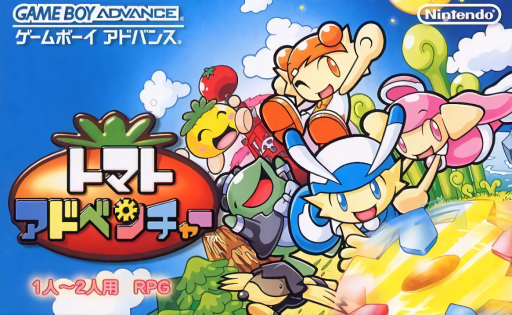
Play the GBA version of ``Tomato Adventure'' online. This is an action-command RPG in which DeMille and his friends defeat 6 super kids, collect toy parts, and save Pasaran who has been kidnapped.
Browser play
Game Boy Advance (GBA) — EmulatorJS controls
Default Player 1 keyboard mapping. Change keys in Controller Settings.
| Console button | Keyboard |
|---|---|
| ↑ / ↓ / ← / → | ↑ / ↓ / ← / → |
| A / B | Z / X |
| L / R | Q / E |
| START / SELECT | Enter / V |
Open Controller Settings to configure your keyboard or gamepad. Touch controls are available on mobile.
How to Play Tomato Adventure
Quick start
You can start a new game by selecting an empty slot in the title's data selection, or you can resume from where you left off by selecting a previously saved slot. After the opening, the game begins at Demir's house in the village of Kobore. First try to fix the broken TV by hitting A repeatedly, then talk to the villagers. If you tell everyone, you will be able to enter Ceremo's house at the bottom of the village, where you will receive the first gimmick "Gear Yoyo" and a battle explanation. After that, your first goal is to meet up with Pasaran, defeat the gatekeeper at the upper village management office, and get out. On the world map, go to the Titicaba Forest on the left and aim for the toy in the depths of the forest. Gear Yoyo is a timing type where you press A the moment the blue mark enters the red range. When it's difficult, press L on the START menu's Gimmick to lower the difficulty, and when you get used to it, press R to increase it to make it easier to fill up the "Sugoi" gauge. "Save" in the START menu can be used in most places, so it's a good idea to record it before fighting at the gate or going deeper into the ruins.
Controls
Field: Walk with the cross button, run by holding down B while moving, A to talk to people and examine things in front of you, START to open the menu. Normal menu: Use the cross button to select an item, press A to confirm, press B to cancel/go back. Gimmick screen: R increases the difficulty of the selected gimmick, L lowers it. Press START to open the gimmick information and press START again to practice. Use SELECT to check the input method specific to that gimmick. Combat: Select a command or target with the cross button, confirm with A, and cancel with B. In the actual attack, follow the repeated hits of A, B, and cross button, timing, speed, and pounding input shown on the screen. Jump on the Takopyon in the field by pressing A, and press A again at the signal to jump higher. To lift the bubbles, press A on the platform, hold A to go up, and release to go down.
Tomato Adventure Game manuals
Cheats
No cheats have been added for this edition.
Player verification and sources
Browser play was reviewed before this edition was published in the catalogue. The date below is the catalogue publication date, not the game’s original release date.
- Browser test and catalogue publication date
- Browsers and devices
- PC: Chrome, Edge and Firefox. Mobile: Chrome on Android and Safari on iPhone and iPad.
- Player engine and core
- EmulatorJS 4.3.0-pre · gba
- Tested by
- rwEmulator
Sources and editorial basis
rwEmulator reviews edition metadata, release information, game manuals and first-hand browser-play notes. Available manuals are linked below; the editorial policy explains how facts are checked and corrections are handled.