More browsing paths
Play Tony Hawk's Motion (US edition) Online
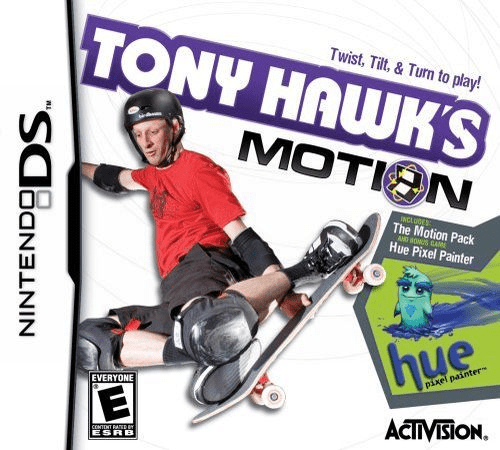
Tony Hawk's Motion
Play Tony Hawk's Motion online. Skate and snowboard with a control scheme built around the Motion Pack.
Browser play
Nintendo DS (NDS) — EmulatorJS controls
Default Player 1 keyboard mapping. Change keys in Controller Settings.
| Console button | Keyboard |
|---|---|
| ↑ / ↓ / ← / → | ↑ / ↓ / ← / → |
| A / B / X / Y | Z / X / A / S |
| L / R | Q / E |
| START / SELECT | Enter / V |
| Microphone | Not assigned |
Open Controller Settings to configure your keyboard or gamepad. Touch controls are available on mobile.
How to Play Tony Hawk's Motion
Quick start
With Motion Pack input available, calibrate in options and choose a first skating challenge from World Map.
Controls
Default layout: L kicks/accelerates, R jumps; jump near a rail then L grinds, tilt left/right to balance. Touch the lower-left manual icon and tilt up/down; right-side icons trigger specials. Motion Pack input is required.
Tony Hawk's Motion — About this game
Skate and snowboard with a control scheme built around the Motion Pack. The original game requires the pack in the DS Game Pak slot, and equivalent motion input is needed to follow these controls. Begin with calibration and sensitivity, then try one World Map challenge before adding a longer trick. L builds movement and R jumps in the default layout; tilting supplies the balance during a rail grind or manual. Air spins depend on tilting and stopping the tilt before landing. Touch icons add manuals and special tricks. The cartridge also includes Hue Pixel Painter, where tilt movement connects paint pools around objects to restore colour, giving the same motion input a different kind of task.
Tony Hawk's Motion Game manuals
Cheats
No cheats have been added for this edition.
Player verification and sources
Browser play was reviewed before this edition was published in the catalogue. The date below is the catalogue publication date, not the game’s original release date.
- Browser test and catalogue publication date
- Browsers and devices
- PC: Chrome, Edge and Firefox. Mobile: Chrome on Android and Safari on iPhone and iPad.
- Player engine and core
- EmulatorJS 4.3.0-pre · nds
- Tested by
- rwEmulator
Sources and editorial basis
rwEmulator reviews edition metadata, release information, game manuals and first-hand browser-play notes. Available manuals are linked below; the editorial policy explains how facts are checked and corrections are handled.